
0
0
0
0
Introduction
About this playbook
The Patient Engagement Playbook is a tool for clinicians, health care practice staff, hospital administrators, and others who want to leverage health IT — particularly electronic health record (EHR) patient portals — to engage patients in their health and care.
Why the focus on patient engagement? Because engaged patients have the knowledge, skills, ability, and willingness to manage their health and care and to act on clinicians’ recommendations. Practices that invest in health IT for patient engagement can expect returns in the form of better outcomes and lower costs.
When selecting an EHR vendor, keep patients in mind.
Before you contract with an EHR vendor, be sure to research the EHR market (including competing vendors, products, and services) and make a priority list of features you want in your EHR.
Keep in mind that features supporting patient engagement, like self-scheduling, are the most effective ways to encourage portal adoption. Many patients — especially those under 40 — specifically seek out health care practices that use advanced health IT for communication and data management.1
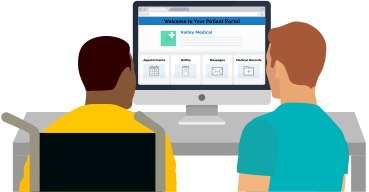
Health care practices across the country are already seeing the benefits of EHR patient portal implementation on patient engagement and beyond. The rewards are real: more informed, involved patients; more effective delivery of care; and reduced burden on office staff. But the barriers are real, too: cumbersome enrollment; clunky interfaces; reluctant patients and office staff; and questions of privacy and security. It will take years to address all of the pain points, but transformation is underway.
How to use the Playbook
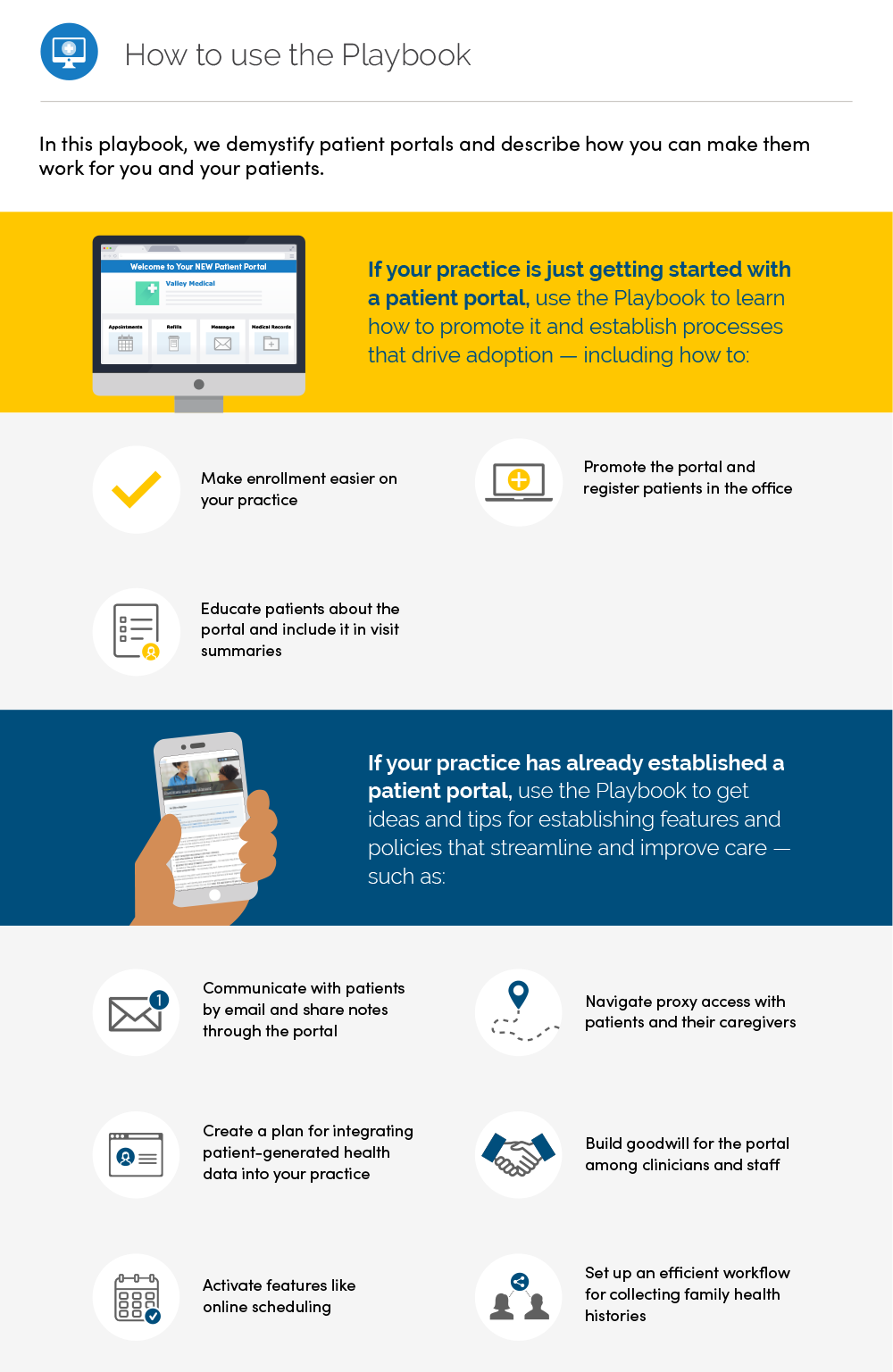
In this playbook, we demystify patient portals and describe how you can make them work for you and your patients.
If your practice is just getting started with a patient portal, use the Playbook to learn how to promote it and establish processes that drive adoption — including how to:
- Make enrollment easier on your practice (2.1, 2.2)
- Promote the portal and register patients in the office (Chapter 2 graphic, 2.3)
- Educate patients about the portal and include it in visit summaries (2.4)
If your practice has already established a patient portal, use the Playbook to get ideas and tips for establishing features and policies that streamline and improve care — such as:
- Communicate with patients by email and share notes through the portal (3.2, 3.3)
- Navigate proxy access with patients and their caregivers (5.1)
- Create a plan for integrating patient-generated health data into your practice (6.1)
- Build goodwill for the portal among clinicians and staff (2.4)
- Activate features like online booking (3.1)
- Set up an efficient workflow for collecting family health histories (6.2)
We’ve compiled best practices and home-grown solutions from innovative clinicians, practice administrators, and health systems around the country.
We’ve also told their stories in “From the field” examples scattered throughout the Playbook. The highlighted organizations stand out as pioneers — they’ve piloted unique programs that leverage health IT, shown how using health IT strategically can produce results, and earned national attention from the press and fellow industry leaders.
Each “From the field” example sheds light on what it means to put the Playbook into practice. There’s much to learn from analyzing these bright spots and scaling their success. Even a few small changes in your practice and patient portal implementation can lead to meaningful improvements in portal adoption, care delivery, and health outcomes.
Every day, clinicians and practices embrace new technologies, discover ways to improve care, and find opportunities for meaningful patient connection. As health IT and health care delivery evolve, the Playbook will evolve too. Over time, we’ll update it to include a broader range of tried-and-true strategies for involving patients in their health and care.
Why a playbook?
Playbooks aren’t static instruction manuals — they’re always-evolving sets of strategies and approaches. Good coaches update their playbooks constantly, and each iteration reflects new, innovative solutions to shifting circumstances.
This playbook is an important tool for our mission to help clinicians and their patients adopt and adapt to patient portals and patient-generated health data. We hope you’ll use it in a way that works for you and your practice.
For example, you may want to:
- Review patient portal benefits with office staff, so they can share them with patients
- Focus on one chapter at a time — discuss lessons during team meetings, apply best practices in the workplace, and have ongoing conversations about what works and what can be improved
- Use Playbook language on your website or Facebook page to let patients know how they can use the patient portal to participate in their care
About patient portals
Patients like portals.
In 2017, half of Americans were offered access to an online medical record. 8 in 10 individuals who accessed their record reported it was both easy to understand and useful. 2
The Centers for Medicare & Medicaid Services (CMS) launched the Promoting Interoperability (PI) Programs to encourage eligible clinicians, eligible hospitals, and CAHs to adopt and meaningfully use certified electronic health record (EHR) technology. 3 For office-based Medicare clinicians, they can participate via the Quality Payment Program.
Physicians and other clinicians participating in CMS’s PI Program must meet several objectives and expectations. For example, physicians must be able to:
- Use e-prescribing to improve medication safety and reduce medication errors
- Send electronic summaries during transitions of care, receive and reconcile electronic information, or attest to bi-directional exchange or participate in TEFCA
- Give patients electronic access to their health information, including via portals or APIs
In addition to financial incentives, portals can add up to big benefits in patient care. For patients with chronic diseases, engagement in patient portals has been associated with improvements in disease management. 4 Portals can also improve preventive care. Patients with portal access to screening recommendations — like when to get their next mammogram or colonoscopy — are more likely to follow through on these recommendations. 5
Ultimately, patient portals can contribute to:
- Reduced call volume
- Improved responsiveness to patients’ needs
- Lower utilization of health services
- More effective care
- Cost savings 6
Patient portals hold enormous potential to improve patient care and practice workflow. We’ve created this playbook to help you realize it — and build an effective digital strategy for patient engagement.
Terms to know
Use this glossary, adapted from the Center for Healthcare Quality and Payment, to help establish a common language with all stakeholders.
Electronic health record (EHR). An EHR — also known as an electronic medical record or EMR — is an electronic system that clinicians use to document patients’ medical and health information. A patient’s EHR may include demographic data, progress notes, medications, vital signs, medical history, immunizations, lab results, and radiology reports. Patients don’t access their own EHR.
Patient portal. A patient portal is a secure website where patients can access their medical history and other health information stored in the EHR. Using the portal, patients can typically complete forms online, communicate with clinicians, request prescription refills, pay bills, review lab results, and schedule appointments.
Help us improve this Playbook
Best practices start with clinicians and administrators like you. We want to learn more about your experiences and hear your suggestions. Tell us what’s working and what isn’t. Have you successfully boosted portal adoption in your practice? Do you have a promising product solution?
As you discover new ways to navigate patient portals, EHRs, and other health IT solutions, let us know. We update the Playbook regularly with new patient engagement strategies and real-world examples. A good playbook is never complete: it evolves and keeps getting better — but it’s only as good as the people who use it. Please send us your suggestions, questions, and strategies so we can add to this tool and improve the patient experience.
Disclaimer
References or links in this website to any specific non-federal entity, commercial product, process, service, or company do not constitute their endorsement or recommendation by the U.S. Government or HHS. HHS is not responsible for the contents of any “off-site” website linked to in this website, nor is HHS responsible for such other website’s compliance with Section 508 (accessibility).
Content last updated on: May 31, 2019
Chapter 1
Promote health IT literacy
In this chapter
Learn how to:
- Understand the definition and impact of health IT literacy
- Improve your practice by increasing health IT literacy
- Engage patients to improve health outcomes with health IT literacy
- Use best practices and resources to improve health IT literacy
- Integrate health IT literacy and transparency for your practice and patients as you incorporate artificial intelligence (AI)
What is health IT literacy? How is it different from health literacy?
Health information technology (health IT) literacy is a person's ability to effectively find, understand, and use health technology across health and healthcare settings. It is related to but distinct from health literacy, which is a person's ability to find, understand, use, and communicate health information to make informed decisions about their health and healthcare. 7 8
Health literacy varies with a person's role in the healthcare system, such as the clinician or patient. The older adult patient with multiple chronic conditions will have more complex health literacy needs than the young adult patient who is in good health. The adult parent will have different health literacy needs than the pediatric patient. Health literacy even varies among healthcare professionals, such as between clinicians, electronic health record (EHR) developers, and front desk staff. It also varies with use cases, such as cancer care, digital quality measures, and patient-generated health data.
For the patient, caregiver, or family member, health literacy includes understanding basic concepts of health and health conditions, understanding and following written instructions such as medication labels and discharge instructions, and using the healthcare system. Clinicians and staff, in turn, must take each individual's health literacy into consideration when communicating with patients and caregivers, which often include family caregivers.
Similarly, health IT literacy for patients today includes understanding patient portals, how to use them, and how different patient portals organize and display health information of interest. Health IT literacy also involves understanding the evolving contribution of patient-generated health data through portals and devices and the ability to work with and synthesize digital health information across multiple portals to understand one's health status and longitudinal shared care plan.
Encouragement works!
Evidence suggests that patient portal access rates were higher among patients who were encouraged to access their portal by their healthcare provider compared to patients who were not encouraged.
Among patients who were encouraged by their healthcare provider to access their patient portal:

87% accessed their online medical records

92% viewed test results

82% viewed clinical notes
Among patients who were not encouraged by their healthcare provider to access their patient portal:

57% accessed their online medical records

78% viewed test results
57% viewed clinical notes
Source: ONC Data Brief, "Individuals' Access and Use of Patient Portal and Smartphone Health Apps, 2024"
Like health literacy, health IT literacy varies with a person's role in the healthcare system and the particular use case. For the clinician, it includes finding, understanding, and using EHRs, medical devices, electronic clinical decision supports (e.g., cancer screenings, vaccine schedules, and medication management), and telemedicine tools. For the patient, it includes finding, understanding, and using patient portals, health apps, wearables and devices, and telemedicine tools.
How does health IT literacy affect your practice?
Health IT literacy may affect different practices in different ways depending on characteristics like patient population, geographic setting, or specialty. A rural practice may lack broadband access, making some health IT inapplicable (such as telemedicine) and making experience with alternative kinds of health IT (such as telephone visits or emails with photo attachments in lieu of telemedicine) a strength. A practice serving patients whose first language is not English will need to provide both health information and health technology in the languages its patients use so they can understand and use the information and technology. A diabetes practice might need health IT literacy to help its patients successfully use continuous glucose monitors and insulin pumps, while a pediatrician might depend more on the parent's or parent proxy's health IT literacy than the child's health IT literacy.
While health IT literacy is distinct from health literacy, health IT literacy and the use of health IT affect and can promote health literacy as well. For example, patient portals that show long-term health data help people understand how their health has changed over time. Clinical decision support tools integrated within EHRs help clinicians have a deeper understanding of relevant diagnoses and interventions. Your practice should be thinking about health IT literacy from both the clinician's and the patient's and caregiver's perspectives.
Increased health IT literacy is associated with improved health outcomes.
Higher health IT literacy was associated with:
- Greater satisfaction with interactions with healthcare professionals
- Feeling less stressed by medical appointments
- Increased information seeking which leads to increased empowerment
- Better social networks for health information
- Reduced anxiety, sadness, or worry around health and chronic disease
- Greater knowledge and better disease management for people living with chronic disease
Source: Yuen et al. (2024). Digital Health Literacy and Its Association With Sociodemographic Characteristics, Health Resource Use, and Health Outcomes: Rapid Review. Interactive Journal of Medical Research, 13, e46888. https://doi.org/10.2196/46888
Consider how health IT literacy impacts your practice and patients from the very beginning of any health IT initiative — starting with design and moving through procurement, implementation, testing, training, daily workflows, ongoing monitoring, and evaluation. Considering health IT literacy from the beginning will be more efficient and cost-effective than attempting to retrofit solutions after problems have been uncovered in practice, with accompanying risks to quality and patient safety.
This chapter explores the importance and benefits of health IT literacy, as well as best practices and resources to help clinicians and patients use health information and communication technologies to improve care. It illustrates how health IT literacy in everyday practice can lead to better, more efficient solutions and streamlined workflows, while poor health IT literacy can increase burdens, inefficiency, and costs.
1.1 Understand the impact of health IT literacy
As many as half of U.S. adults have limited literacy skills, and even more — up to 9 in 10 — have limited health literacy skills. 9 Think of limited health IT literacy in the same way. Designing for limited-literacy users has a powerful effect: It broadens access to health information and health IT for all users.
Understanding the many facets of health IT literacy can help you integrate it effectively for both staff and patients. You don't need to achieve high health IT literacy across all of these components from the outset, but awareness can help you plan for how best to achieve health IT literacy in each phase. Keep in mind the following areas to understand, promote, and fully leverage health IT literacy.
User groups or roles
Health IT literacy varies depending on a person's role in the healthcare system. A clinician is expected to be proficient with the EHR, while patients and family caregivers may not be as familiar. Conversely, patients may be more comfortable and literate using patient portals than some clinicians. To support patient engagement and access, at least 1 person on the healthcare team with a patient-facing role should be familiar with the patient portal (i.e., super users). These super users could be the clinicians but could also be other members of the healthcare team. They should know how to use it, be able to answer patient questions during visits, and understand the portal's limitations or tradeoffs from the patient's perspective.
Within a single practice, health IT literacy can also differ by role. A clinician may be less skilled than a front desk staffer in using the appointment system, while neither is likely to match an EHR developer or informaticist in detecting bias in scheduling algorithms. 10
Content
Health IT literacy also varies with the type of content and how it is displayed in health IT systems. For example, you may see a smooth, interoperable referral exchange, while an EHR developer or informaticist sees the underlying semantic codes (such as LOINC or SNOMED CT) and the FHIR® standards enabling that exchange. Similarly, while clinicians may want access to the full range of relevant clinical content, some patient portals present patients with a summary designed to match their literacy level and information needs. However, there is still progress to be made to ensure that all portals account for all literacy levels.
Use cases
A use case describes the steps someone takes to use a system to achieve a specific goal. In health IT, examples of use cases include using a patient portal to schedule a follow-up appointment, complete a family health history questionnaire, or upload personal health indicators like blood pressure. Health IT literacy varies with the health IT and skills needed to achieve the goal of the use case. For instance, the health IT skills required for cancer care are not the same as those needed to calculate and report digital quality measures. And both differ from the health IT literacy skills that patients and their clinicians need to collect, understand, and submit patient-generated health data. While there may be some overlap, the specific demands vary.
Technology
Health IT literacy can also depend on the specific technology. For example, a clinician may be proficient with EHRs but unfamiliar with certain medical devices or health apps. Likewise, a patient may use a wearable device daily yet have little to no literacy with EHR systems. The required skills shift with the technology in use.
Health IT literacy is multifaceted. Your patients and staff do not have to be literate across every aspect of health IT. Rather, different members of your team will and should have health IT literacy in their respective and overlapping spheres. Where the patient or caregiver interacts with the clinical setting, the health IT literacy of the patient, clinicians, and staff should be considered to facilitate effective patient engagement.
Five patient engagement principles to support health IT literacy
- Incorporate health IT literacy by design. Embed health IT literacy from the beginning and throughout the design, build, and implementation of health IT systems, policies, programs, workflows, and education and training.
- Tailor health IT literacy for diverse users and uses. Design, adapt, and promote health IT literacy to meet the needs of different roles in your practice — and those of patients and family caregivers.
- Include users in health IT planning, design, and promotion. Consult and collaborate with the full range of users, including patients, to ensure broad engagement from the outset.
- Avoid building barriers to health IT literacy. Even if you cannot design for all users and use cases at the beginning, ensure that systems and workflows do not create unnecessary obstacles to health IT literacy.
- Monitor and address gaps in health IT literacy. Identify needs that can be addressed through changes to education, training, technologies, and workflows — so that systems anticipate and reduce problems rather than exacerbate them.
1.2 Improve your practice by increasing health IT literacy
Health IT literacy can support your practice and enhance patient and caregiver health literacy by:
- Improving understanding and effective use of health IT
- Building knowledge of health information and its limitations
- Building knowledge of health IT and its limitations
- Strengthening real-time engagement with patients through tools such as online scheduling, secure messaging, reminders, educational resources, medication refill requests, forms, and telehealth
- Enabling patients and family caregivers to support care at home, in the community, while traveling, and in other settings — improving outcomes and reducing practice workload
- Enhancing the clarity, usability, and impact of health information to support health literacy
Each of these benefits can contribute to improving health outcomes and relieving practice load. On the other hand, poor health IT literacy increases practice burden, inefficiency, and costs. When clinicians, staff, or patients cannot effectively find, understand, and use relevant health IT, mistakes can be made, data can be mis-entered or omitted, and health outcomes can be affected. The resulting friction and potential misunderstandings can affect patients' ability to use health IT to increase involvement in their care.
1.3 Engage patients to improve health outcomes
Health IT literacy can affect patient engagement positively or negatively across the different components of health IT literacy listed above. To increase patient engagement, consider how health IT literacy shapes every stage of a patient's or caregiver's experience — from accessing technology to understanding and acting on the information it provides.
Users and roles
Knowing that patients and caregivers have differing levels of health IT literacy for various reasons, consider how patients and caregivers access and use health IT and design for those differing levels. Tailor instructions, education, and training to the different needs of particular patient populations.
Use cases
Similarly, clinicians, specialists, and patients and their caregivers will have differing levels of health IT literacy. Use cases range from a healthy child's routine checkup to an adult managing multiple chronic conditions. Think about how patients and caregivers need to use health IT differently depending on the situation and provide appropriate support and training accordingly to ensure health IT literacy.
Content
Patients and caregivers can gain a better understanding of their health through the content and information available to them, so it's important to provide clear, user-friendly content that they can easily access and understand. Different types of health IT — such as portals, educational materials, and telehealth platforms — and the content within them may each require specific health IT literacy skills. Consider the content your patients use and ensure it matches their abilities and preferences. This will help them use technology and information confidently and effectively.
Technology
Patients and caregivers need tailored, user-centered interfaces that they can access, use, and understand. Specific types of health IT — like devices, wearables, remote monitoring, and telehealth visits — might each require a user to have health IT literacy skills that are specific to the technology. Consider the types of health IT patients are using and what health IT literacy they need to be successfully engaged.
Availability and access
Not all health IT is equally available, and not everyone can fully use what is available. These gaps — often called “digital divides” — show up in many ways. For example, the Federal Communications Commission tracks broadband capacity, which is needed to access services like telehealth, and finds major differences across U.S. counties, especially in rural and Tribal areas. 11 As of 2020, only about 41.5% of people in the United States had broadband internet. 12 And even when relevant health IT is available, it may not be provided in the languages patients need or may be incompatible with assistive technologies, creating barriers alongside issues like utility insecurity. When planning for patient engagement, consider whether the health IT is truly available and accessible to patients and caregivers.
Usability
Even when health IT, such as patient portals, mobile apps, and remote monitoring devices, is available and accessible, it may still be difficult for patients to understand and use. An analysis of the 2022 Health Information National Trends Survey data found that 53% of participants reported it was “not very easy” to understand the health information in their online medical record or patient portal. 13 Barriers can stem from many factors, such as design choices made from the vendor's or clinician's perspective rather than the patient's. For better patient engagement, assess whether the technology is truly usable for each individual, considering the diversity of patients and caregivers.
1.4 Use best practices and resources to improve health IT literacy
Using best practices will help you promote health IT literacy both within your clinical setting and with your patients. The best practices and resources below build upon and incorporate the 5 principles outlined above to aid health IT literacy and patient engagement.
Evaluation
Take steps to evaluate how health IT literacy can help improve your practice.
- For a comprehensive resource from the Office of the Assistant Secretary for Health, see Health Literacy Online: A Guide to Simplifying the User Experience.
- For a global resource, see the Digital Health Literacy Toolkit prepared by the Global Digital Health Partnership's Clinical and Human Engagement Work Stream. This toolkit was designed to support settings and individuals without significant experience in developing health IT literacy. Module 4 - Checklists and Considerations [PDF — 707 KB] may be especially helpful.
Integrated design
Involve diverse users in the initial design of user interfaces and workflows of health IT to increase both patient engagement and health IT literacy. If you build it with them, they will already be engaged and have health IT literacy. Remember, health IT literacy varies widely across users and settings, so be sure the design process considers these differences and includes the spectrum of users.
Unified implementation
Connect implementation and uptake of health IT across clinical and patient settings to boost health IT literacy across both sectors of the ecosystem. Changing health IT in one sector without considering the implications for the other can create unnecessary burdens and lead to costly adjustments. For example, as electronic health records and health systems have turned increasingly to the use of AI algorithms, bias in some AI algorithms has produced disparities in patient access and outcomes, highlighting the importance of testing for disparities and bias before implementation, and integrating procedures for monitoring and reporting such consequences for correction.
Testing, training, and monitoring
Conduct appropriate real-world testing in advance.
- Before procurement and during implementation and use, ask vendors if they have tested and validated the health IT for health IT literacy in clinical and patient-facing settings wherever relevant. Ask to see quantitative and qualitative results of real-world testing.
- Undertake initial real-world testing of patient portals, health applications, devices, and other patient-facing interfaces to match patients' and caregivers' levels of health IT literacy — and regularly monitor and assess health IT literacy thereafter.
Schedule regular workforce trainings on how to use health IT and how to mitigate the limitations of health IT, as well as tailored trainings for any minor or major updates. Consider assigning a health IT literacy champion to help flag health IT literacy issues so that you can address them proactively.
Regularly measuring and monitoring health IT use and trends as ecosystems, conditions, and patient populations change will help you consistently promote health IT literacy.
ONC's Health IT Playbook
ONC's own Health IT Playbook provides succinct resources to promote health IT literacy across many key areas.
For example, the Quality & Patient Safety section of the Health IT Playbook explains how health IT improves patient safety and healthcare quality to improve all phases of patient care.

Resources
- Patient engagement: For insights from a national survey of consumers and patients, see Engaging Patients and Families: How Consumers Value and Use Health IT [PDF — 1,761 KB].
- Patient access: For resources on patient access to and use of their digital health records, see Get It, Check It, Use It: The Guide to Getting & Using Your Health Records.
- Digital content: For structuring, writing, and formatting digital health content for web- and app-based health tools to improve health literacy and health IT literacy, see Section 4: Create Actionable Content from Health Literacy Online: A Guide to Simplifying the User Experience.
- Language access: In the U.S., over 21% of people ages 5 and older speak a language other than English — such as Spanish, Chinese, Tagalog, or Arabic — at home. Around 8% do not speak English very well. For insights about helping patients and family caregivers with access to health IT in languages other than English, see Spanish-Speaking Parents' Experiences Accessing Academic Medical Center Care: Barriers, Facilitators and Technology Use, including Table 6. Even initial awareness of your practice's health IT and its benefits may depend on communicating that availability in the various languages your communities and patients use.
- Health IT navigator: For insights about how an internal health IT champion can help — as dedicated positions in larger practices or as an assigned job duty among smaller practices — see Standardising the role of a digital navigator in behavioural health: a systematic review and Landscape Assessment of Digital Navigation in the California Safety Net [PDF — 3.4 MB]. Such navigators can also help work around digital divides.
1.5 Implement artificial intelligence (AI) tools with transparency and health IT literacy in mind
Artificial intelligence (AI) is an increasingly important part of health IT, bringing new health IT literacy considerations. Clinicians, staff, caregivers, and patients should understand the basics of AI's benefits, limitations, and appropriate uses. As innovation accelerates and the field evolves, start with these initial considerations.
Be transparent about the use of AI in your technology
AI algorithms and their underlying logic and data are often hidden from view. In light of this invisibility and ongoing national conversations about AI, transparency is essential — both in clinical settings and with patients and caregivers. Being clear about whether and how AI is used helps maintain patients' trust and encourages engagement.
Keeping in mind the various levels of health IT literacy among your clinicians, staff, patients, and caregivers, develop a communication plan including educational materials to openly and proactively communicate:
- When and how AI is being used
- What data the AI uses
- Technical aspects about the AI and how it performs
- Risks related to the AI and how those risks are managed or addressed
It's important to remember that to be transparent, your practice needs regular and consistent access to information on the AI's usage, data, performance, risks, and other technical aspects. Your practice might have this information, but your EHR vendor and your patients might also have necessary information.
Increase patient engagement by leveraging the use of AI
The National Academies of Sciences, Engineering, and Medicine's workshop brief Diagnosis in the Era of Digital Health and Artificial Intelligence highlights several opportunities to use AI to increase patient engagement, such as:
- Focusing on reaching patients and family caregivers with educational materials about what AI is, why and when it is used, and the reasons for transparency and clear notifications
- Incorporating patient and caregiver perspectives in the development and use of AI and digital health technologies to improve diagnosis
- Empowering patients to use AI and digital health tools to understand their symptoms and inform decisions throughout the diagnostic process
- Improving transparency and building trust with patients and caregivers to use AI and digital health technologies for their diagnosis
Increase health IT literacy in each step of the development process
As you research, develop, and implement AI tools within your practice setting, consider the following approaches to aid health IT literacy regarding AI:
- Investigate and ensure that the AI you're considering meets the FAVES rubric: Fair (unbiased, equitable), Appropriate, Valid, Effective, and Safe. Read more in the ONC Blog post on Increasing the Transparency and Trustworthiness of AI in Health Care.
- Review the requirements for algorithm transparency and information sharing applicable to certified health IT regulated by ONC in this Decision Support Interventions (DSI) Fact Sheet [PDF — 281 KB].
- Involve users in your practice in the design of AI tools and workflows.
- Develop and schedule regular clinician and staff trainings on how your practice uses AI, tailored to use cases and roles.
- Regularly measure and monitor the use and performance of AI.
- Report the AI system's performance and impact on health and safety, both internally and externally.
Document the measurement and monitoring process to support knowledge sharing and transparency. And update the process regularly — especially as the environments and data underlying AI algorithms change over time. Ongoing monitoring, measurement, and transparency promote a learning health system.
Resources
- The National Academy of Medicine's An Artificial Intelligence Code of Conduct for Health and Medicine: Essential Guidance for Aligned Action (2025)
- The U.S. Government Accountability Office's Artificial Intelligence in Health Care: Benefits and Challenges of Technologies to Augment Patient Care [PDF — 4.9 MB] (2020)
- Article in the Journal of Participatory Medicine: From E-Patients to AI Patients: The Tidal Wave Empowering Patients, Redefining Clinical Relationships, and Transforming Care (2025)
Chapter 1 Recap
Look for opportunities to leverage health IT literacy to increase patient engagement and improve health outcomes.
- Understand health IT literacy's impact
- Improve your practice by increasing health IT literacy
- Engage your patients to improve health outcomes
- Find resources and best practices to improve health IT literacy
- Incorporate artificial intelligence (AI) tools with transparency and patient input
Content last updated on: July 6, 2026
Chapter 2
Facilitate easy enrollment
In this chapter
Learn how to:
- Make the process easier for everyone by providing a simple, secure signup process
- Save patients a step and facilitate sign-ups with automatic portal enrollment
- Build in-office portal registration into your care delivery workflow
- Get staff buy-in and communicate benefits of the portal to patients
Enrollment is the first step to engagement. In signing up for the portal, becoming familiar with it, and committing to using it, patients take an active step in managing their health and care. But patients can be slow or reluctant to enroll in their EHR patient portals — and many never enroll at all.
Patients report not enrolling because they:
- Don’t remember discussing it with their clinicians
- Lack information or motivation — for example, they don’t have signup instructions or they feel too busy
- Question the value of digital communication — for example, they think it won’t be useful or they prefer phone over email
- Need computer help — for example, they don’t have computer access or skills 14
This reluctance may seem overwhelming or out of your control, but there’s a lot that clinicians and practices can do to overcome these barriers and boost registration.
In this chapter, we’ll identify best practices for getting patients enrolled in — and on board with — patient portals. You can then tailor this approach to fit your practice. For instance, clinicians in small practices who have lifelong relationships with their patients can use the portal as a tool to deepen their communication. Large health systems might train patient greeters to become portal enrollment staff. One thing is certain: whether you’re a practice of 1 or 1,000, you can achieve high portal adoption.





2.1 Provide simple, secure portal signup
The amount of time and effort it takes to register for a patient portal can affect whether your patients successfully enroll or give up halfway through.
Make the process easier on them and you by choosing a portal with a quick, secure signup process. Ideally, the patient has to enter only a few pieces of information — and the portal confirms the patient’s identity on the back end.
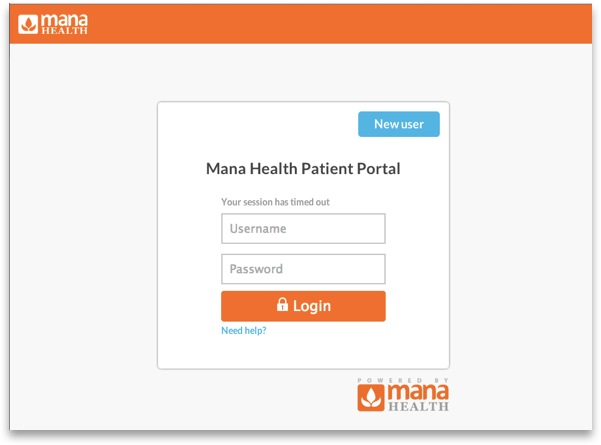
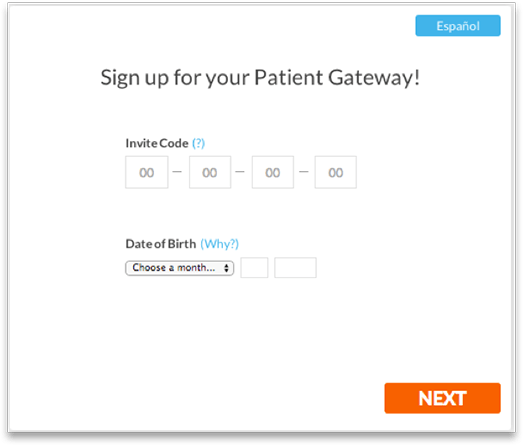
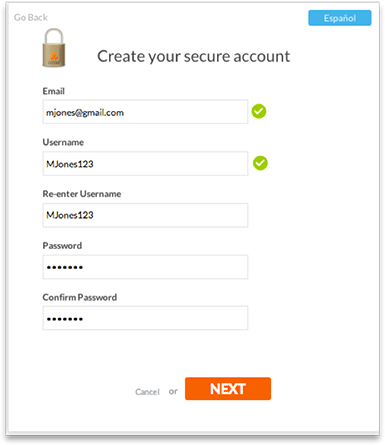
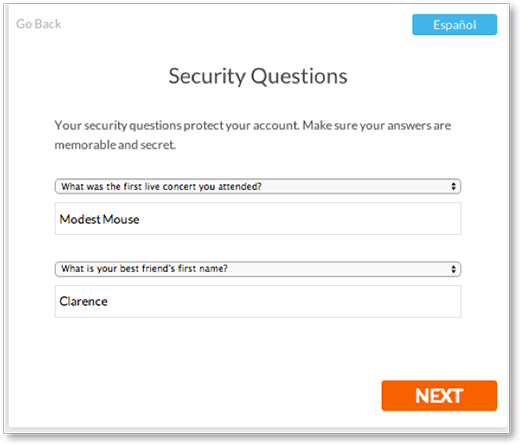
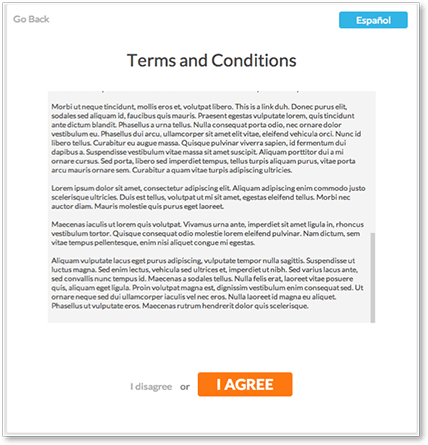
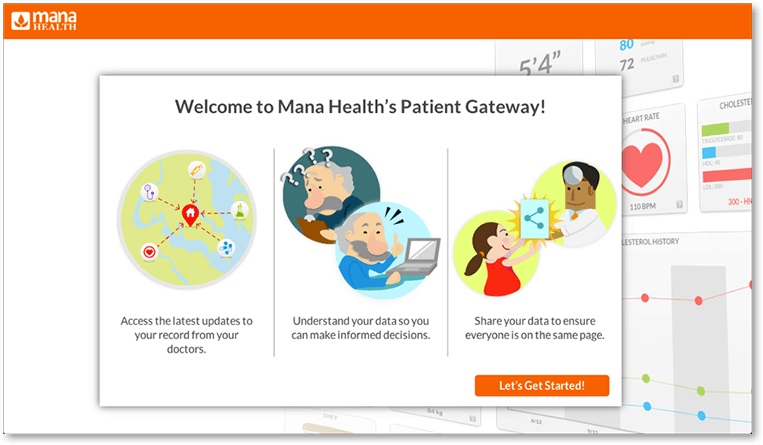
Mana Health, a health IT developer, enables patients to sign up in a few simple steps. When a patient registers, Mana’s system uses data (like demographics and the patient’s medical record number) to match up the patient with her EHR. This automated verification system means an efficient, successful enrollment process for practices and patients.
2.2 Develop an automatic enrollment policy
Facilitate enrollment!
Automatically enroll your patients in a portal account, instead of waiting for patients to sign up themselves.
To facilitate enrollment, automatically enroll your patients in a portal account, instead of waiting for patients to sign up themselves. Keep enrollment numbers up by encouraging new patients to stay registered and offering tips for patients with limited computer access or skills.
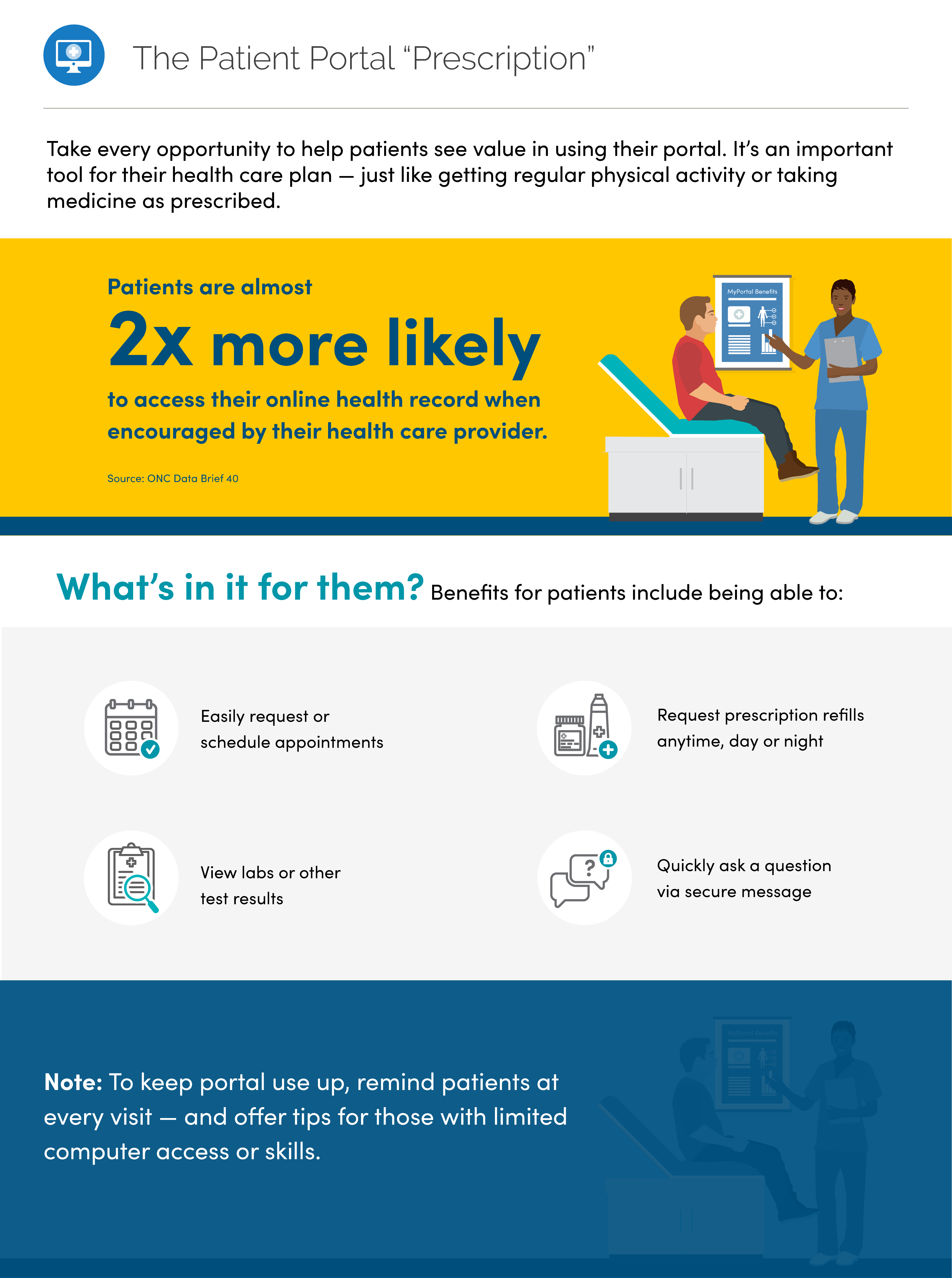
You can also increase the number of patients who enroll and use the portal by integrating portal use into patients’ care plans. For example, encourage patients to use the portal to make follow-up appointments, stay on top of recommended screenings, or request refills. Some portals even enable clinicians to create task lists for patients that include activities related to taking medications, eating a healthy diet, and staying physically active. By taking this approach, you can set the expectation that using the patient portal is part of following their recommendations — just like getting regular physical activity or taking medicine as prescribed.
athenahealth | From the field
athenahealth, an EHR vendor, recommends an automatic enrollment policy. Many of athenahealth’s top 100 practices have benefited from this strategy.

“…The front office staff and physicians communicate that part of what it means to be a patient in a particular practice is using the portal. A slight shift of attitude can go a long way.
It is the difference between asking whether a patient would like to register for the portal versus communicating that portal registration is expected and is integral to the care process.”
— Josh Gray, Vice President, athenaResearch
2.3 Register patients in the office
Treat patients’ office visits as a prime opportunity for portal registration.
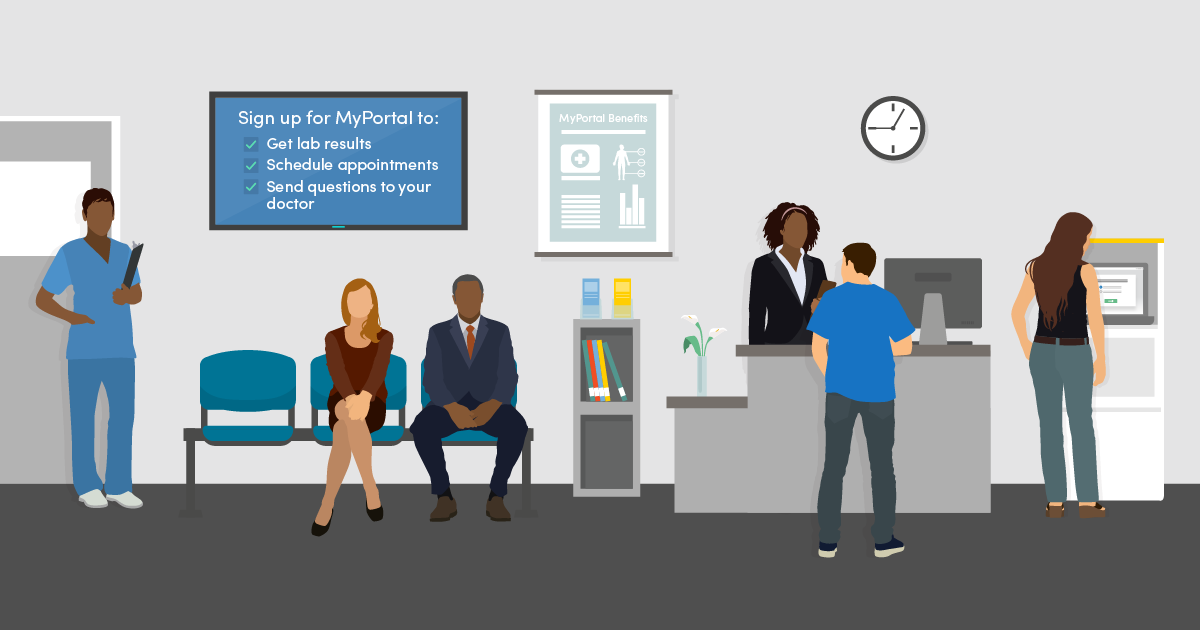
Patients are more likely to register in the office, where they can get support from practice staff and engage in a personal conversation about benefits of the portal. If patients are asked to sign up once they’ve returned home, they may forget, have competing priorities, or struggle to navigate the technology on their own.
Make in-office registration the default by building it into your care delivery workflow and offering several registration touch points during a visit. For example, at check-in and check-out the receptionist, medical assistant, or nurse can teach patients about the portal and offer to sign them up on the spot using a kiosk, tablet, or registrar computer.
athenahealth | From the field
athenahealth analyzed portal registration methods among 973,000 patients who visited practices that offer their patient portal, athenaCommunicator. athenahealth found in-office registration much more effective than at-home registration.
In-office registration
Among patients given the opportunity to sign up…
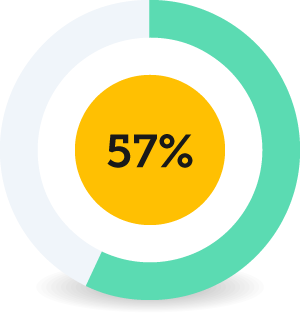
Using a kiosk or tablet, 57% signed up
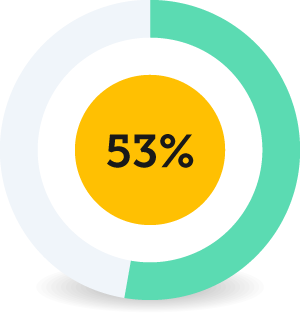
On the registrar computer, 53% signed up
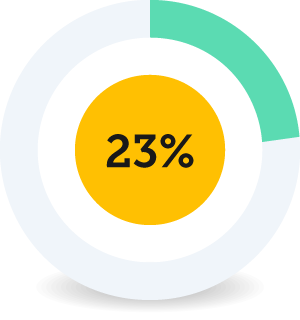
After receiving a text message, 23% signed up
At-home registration
Among patients who received…
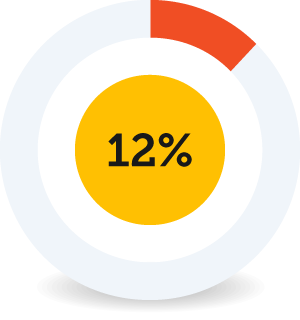
An email at check-in, 12% signed up
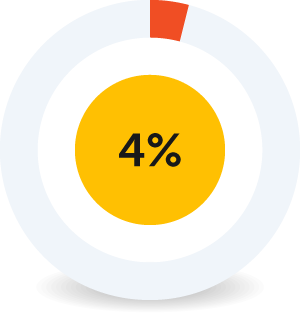
An automated monthly email, 4% signed up
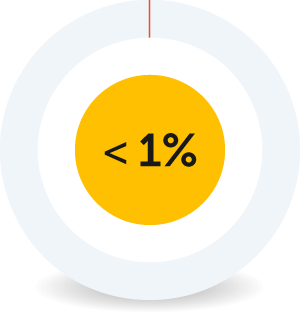
A marketing campaign invitation, less than 1% signed up
2.4 Market and educate effectively
Use positive, encouraging language — with both staff and patients — and leverage every educational opportunity.
Get staff buy-in
Strong leadership and staff buy-in to the patient portal can set the stage for effective marketing and lead to higher enrollment.
Tips for Practice Administrators 17
Practice leaders can take several steps to create an environment that encourages portal adoption.
- Provide opportunities for practice staff to discuss portal adoption, so that you can address fears and identify solutions
- Encourage staff to set up their own patient portal accounts, so that they can better understand the tool and its potential value to patients
- Offer staff incentives for portal adoption — for example, via practice-wide contests
- Promote the portal internally as a critical offering to patients, so that all staff view portal use as an opportunity for high-quality customer service
- Explain that it’s important for all clinicians to adopt the portal so that the practice can market consistently to all patients and avoid sending mixed messages
- Foster enthusiasm for the portal among staff, so that they can relay that enthusiasm to patients
Clinicians are key.
Individuals encouraged by their health care clinician to use their online medical record are almost twice as likely to access it compared to those who are not encouraged. In 2017, 63% of individuals who were encouraged by their doctor to use their online medical record accessed it within the past year compared to only 38% of those who were not encouraged. 18
Tell patients how they can benefit.
Ensure that all members of the care team can relay the benefits of the portal and show patients how to do basic tasks like view lab results, send messages, pay bills, and request or schedule an appointment. See Chapter 3 of this playbook for more information on portal benefits.
Give clinicians and staff talking points so that everyone reinforces the same key messages.
Consider jumping on board with the Blue Button Initiative, a public-private partnership to provide consumers with easy access to their health records in a format they can use. 19 The Blue Button symbol indicates to patients that they can download a personal medical summary that includes medications, conditions, and more. You can customize the Blue Button symbol to your practice.
The Blue Button Initiative is having an impact
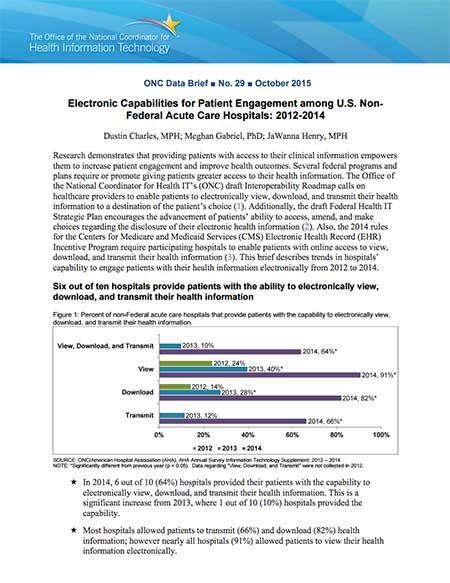
Between 2011 and 2014, the number of organizations participating in the campaign rose from 30 to 650. And in 2014, over half of patients offered access to their medical record online took advantage of the offer.
For more information on how patients’ access to their own data has grown, check out these ONC Data Briefs:
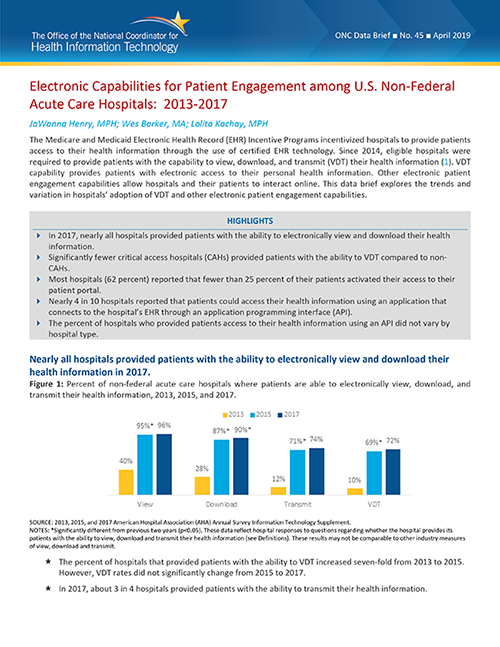
Electronic Capabilities for Patient Engagement among U.S. Non-Federal Acute Care Hospitals: 2013–2017 [PDF - 443 KB] 20
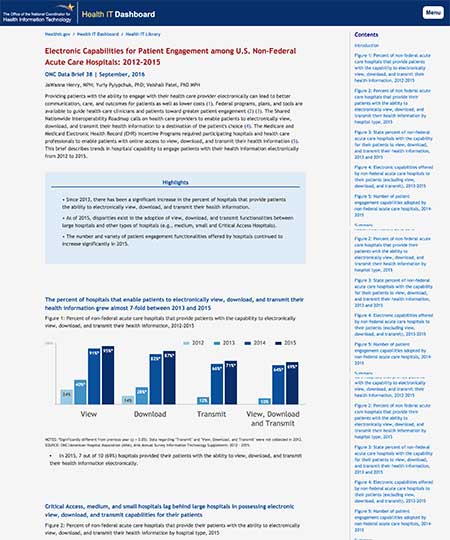
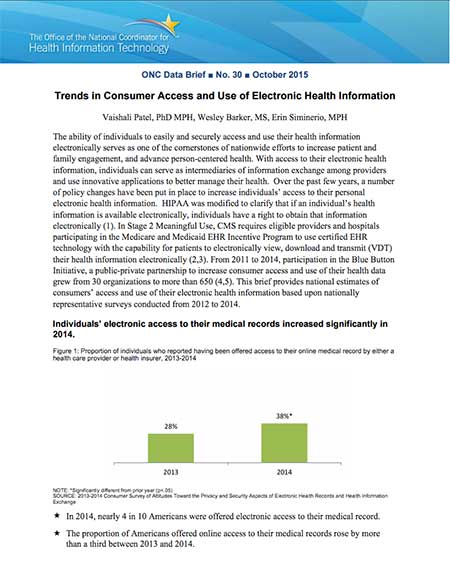
Take advantage of every touchpoint. 24
Take every opportunity to promote patient portal enrollment. Over the course of a visit, a patient may talk to several practice staff including a receptionist, nurse, and doctor. Treat each conversation with a patient as an opportunity to explain the portal’s value and highlight the simple steps patients can take to activate their account.
Use clear action steps!
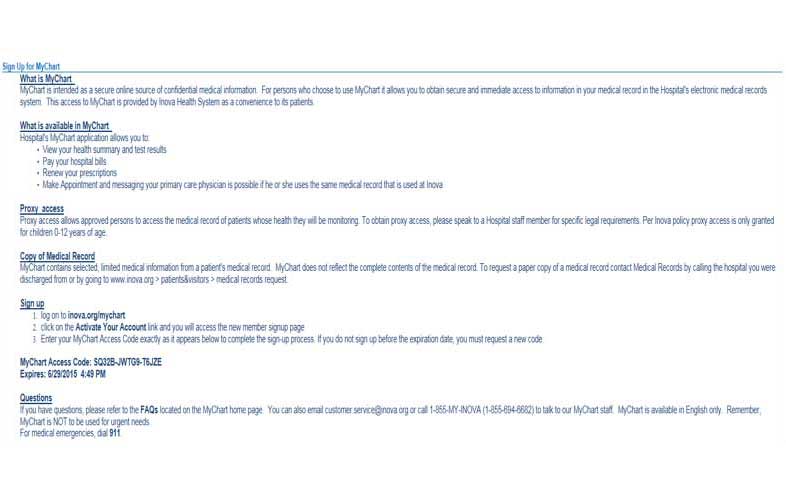
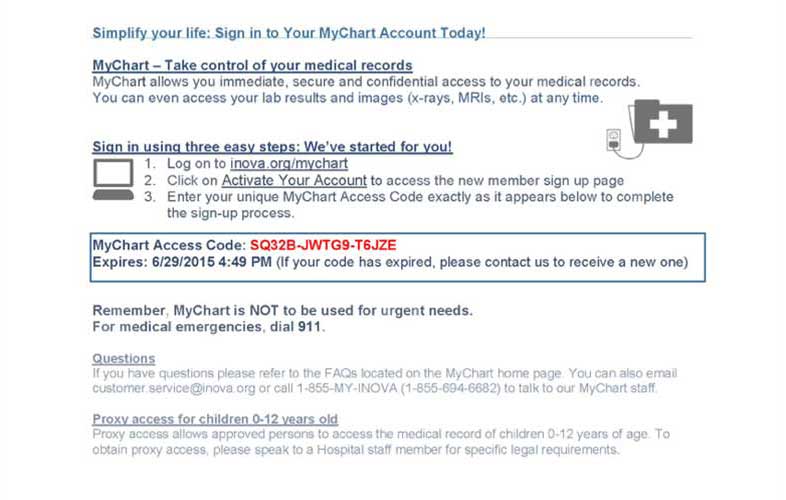
Adding clear action steps to your after-visit summaries — with images in an appealing layout — may inspire patients to enroll in online portals.
You can also add portal enrollment steps to paperwork, such as after-visit summaries. Make the instructions actionable and easy for patients to understand — choose clear, direct language and use illustrations, bullets, and numbering where possible. Encourage them to take immediate action.
Adding clear action steps to your after-visit summaries — with images in an appealing layout — may inspire patients to enroll in online portals. It’s an affordable, scalable way to encourage patient participation.
Remember that marketing opportunities exist outside of a visit, too — like when patients call the office.
Tips for Practice Staff
Practice staff can take steps to make the most of each patient touch point.
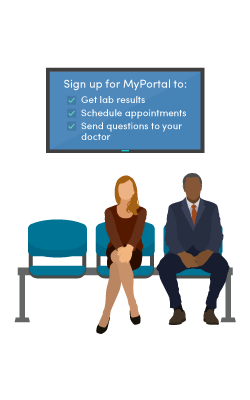
- Teach patients about the portal while they’re waiting to see their doctors
- In the waiting room, have posters, brochures, and videos that highlight portal features. Ask your EHR vendor what materials they offer — many have developed portal marketing materials so that you don’t have to
- Give patients instructions for logging into the portal on a smartphone while they wait
- Set up a pre-recorded hold message or a message that plays at the end of a call that reminds patients to register
- Show patients the simple portal enrollment steps listed on their after-visit summary and encourage them to sign up
Make patient portal communication the norm.
Move away from traditional methods of patient communication, like phone and mail. Frame the patient portal as the best way to reach clinicians and see important medical information.
Inova Health | From the field
Inova Health partnered with ONC, the Office of Evaluation Sciences, and the Centers for Medicare and Medicaid Services to identify a solution to encourage patients to enroll in the health system's EHR patient portal. Working closely with its partners, Inova Health revised the after-visit summary (AVS) to make the benefits of EHRs salient, highlight clear action steps, and encourage immediate action. Analysis suggests that the revised instructions led to a 10% increase in the probability of online patient portal activation.
There are promising signs that clear action steps presented using images, and in an appealing layout, may encourage patients to access the online patient portal component of their health care system’s EHR. Read more about this low-cost and scalable solution to encourage patients to enroll and use portals.
Disclaimer: “From the field" examples are provided for informational purposes to illustrate a range of real-world implementation approaches. References to specific organizations, products, services, or technologies do not constitute or imply endorsement, recommendation, or preference by the U.S. Department of Health and Human Services or the U.S. Government. Inclusion of an example should not be interpreted as indicating that the approach is appropriate for all settings or circumstances.
Chapter 2 Recap
Take the first step toward patient engagement by facilitating easy portal enrollment.
- Choose a portal with a simple, secure signup
- Develop an automatic enrollment policy
- Register patients in the office
- Market and educate effectively
Chapter 3
Activate portal features that meet patient needs
In this chapter
Learn how to:
- Save time for patients and staff by enabling online booking and prescription refills
- Set up secure messaging to streamline patient-clinician communication
- Share notes to help patients understand and act on their clinician's advice
- Add value to the portal by including educational and community resources
- Create a user-friendly electronic records request process
Patient portals have the potential to streamline clinician workflow and improve patient engagement.
But at first, clinicians may be overwhelmed by the number of features that portals offer or fear that using the portal will be cumbersome and ineffective.
You can take small steps to overcome these barriers and get the most out of your patient portal. Although patient portals vary from vendor to vendor, most include a basic set of features that offer value to patients. These features can improve the way clinicians and patients:
- Handle administrative tasks, like booking appointments
- Communicate with each other
- Manage care
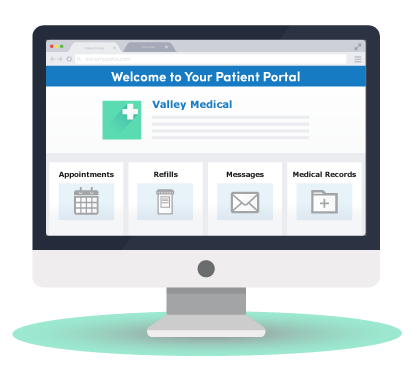
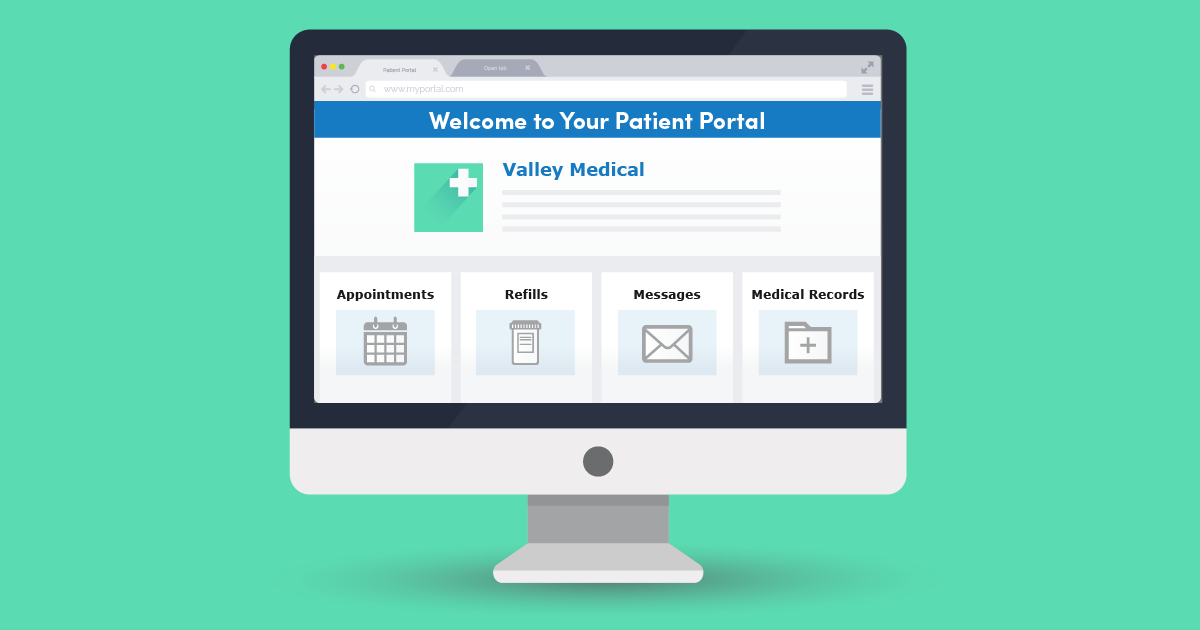
Use these features to engage your patients in their care and make care coordination and communication more convenient, efficient, and effective — for them and for you.
Keep in mind that other features may also be available — but make sure you’ve determined their value before adding them. If you clog the portal with unnecessary information and tools, patients may get overwhelmed and find the portal more difficult to navigate and use.
3.1 Enable online booking and prescription refills
Booking medical appointments and refilling prescriptions over the phone can be time-consuming for both patients and clinicians. On average, it takes a little more than 8 minutes to make an appointment over the phone. 25
In 2017, over half of non-federal acute care hospitals reported that they allow patients to schedule appointments and refill prescriptions through their portal. 26 Allowing patients to book medical appointments and refill prescriptions online will free up staff to support your practice in more valuable ways. 27 And research shows that patients use these features — in 2017, 39% of people with access to a portal used it to make appointments and 37% requested medication refills. 28
Kaiser Permanente | From the field
Kaiser tells patients upfront when they can expect to get an appointment if they book online. 29
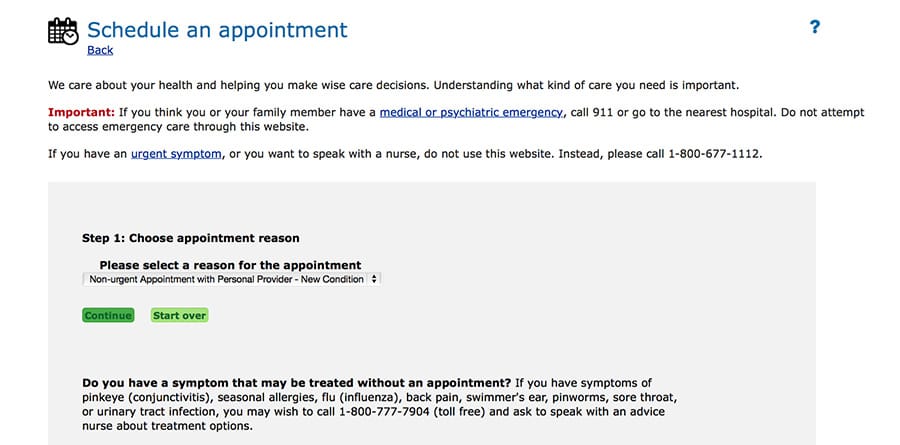
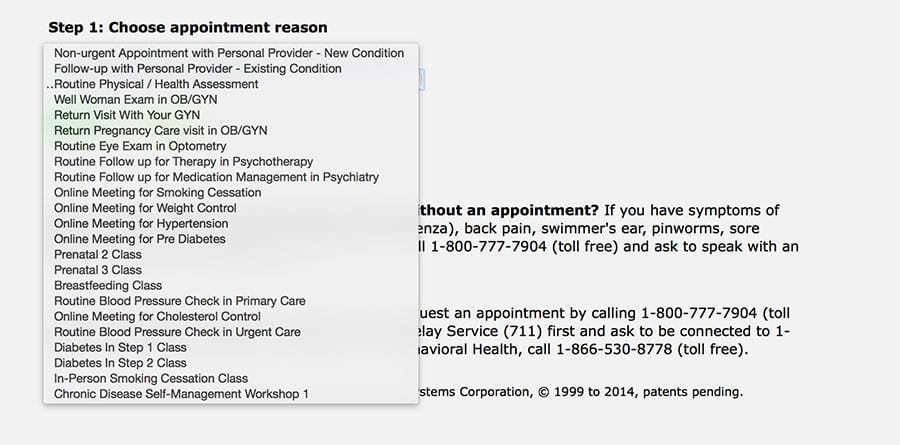
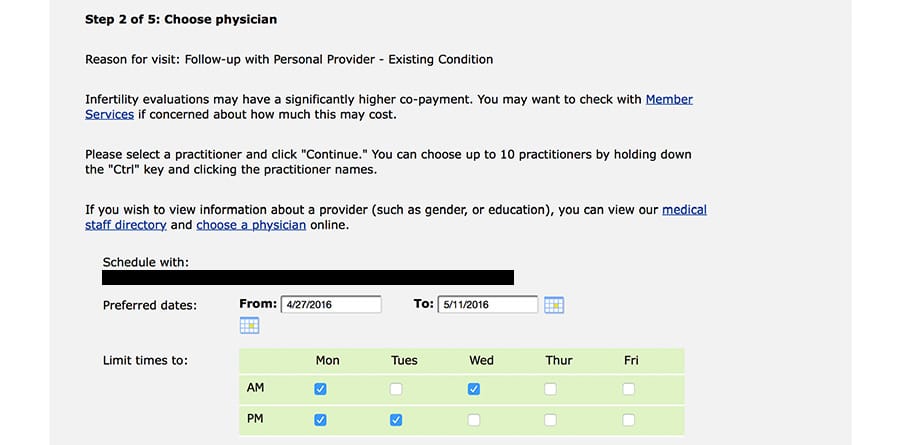
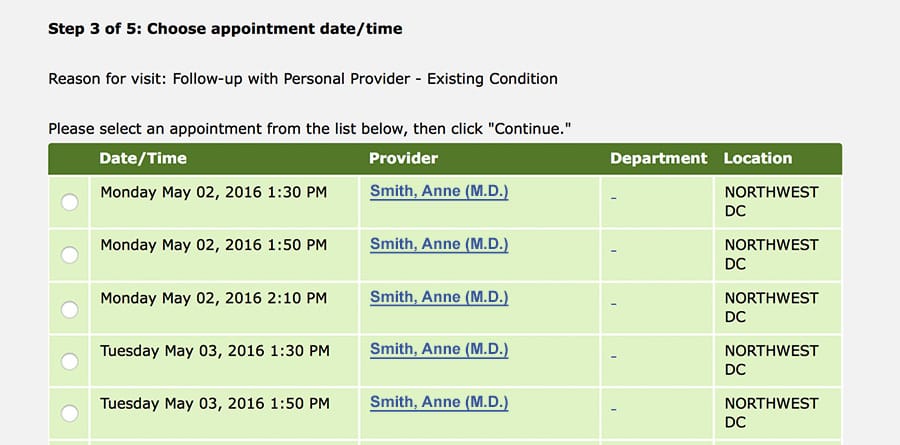
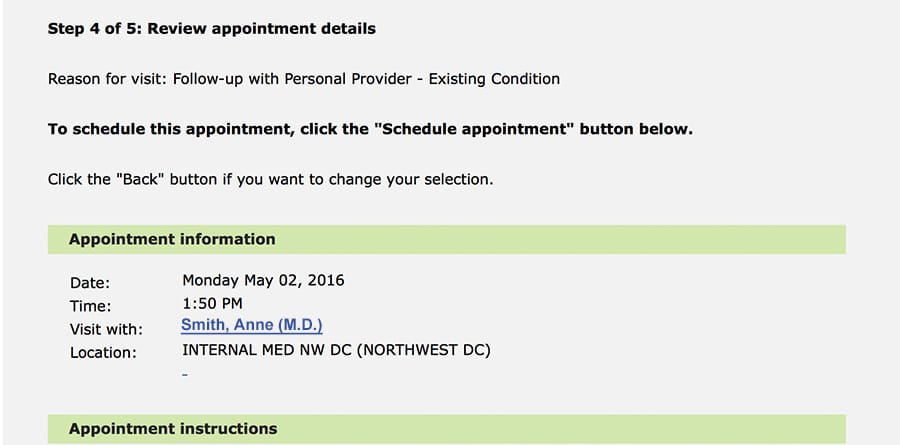
Through the portal, Kaiser also gives patients clear instructions for:
- Filling a prescription for the first time
- Refilling prescriptions online
- Transferring prescriptions from another health system
- Checking which medications are covered by their plan
- Reading up on medication instructions and side effects 30
3.2 Set up secure messaging
Between 2015 and 2017, the number of non-federal acute care hospitals that offered secure messaging through their patient portal increased by nearly 10%.31 By setting up secure messaging, your practice will take a big step toward achieving a Meaningful Use objective: “Use secure electronic messaging to communicate with patients on relevant health information.” 32
There are many scenarios in which patients and clinicians need to communicate between visits. Patients may have follow-up questions about a clinician’s guidance or a medication. 33 Clinicians may need to share test results or explain a recommendation in more detail.
Myth
Clinicians worry that activating email in the patient portal will lead to an email deluge that burdens their practice and impedes efficiency.
Reality
When practices integrate email into their workflow, clinicians often find communicating with patients more convenient and less time-consuming.
Using the portal, patients and clinicians can:
- Share brief messages and updates
- Clarify issues and advice
- Correct misunderstandings before they become significant problems
- Record details, like a referral name or post-operative instructions
- Link to educational materials and other online resources 34
Patient portals offer an opportunity to improve and streamline patient-clinician communication and practice workflow. The portal’s secure email can reduce the need for face-to-face visits and phone calls by giving patients and clinicians a quick, convenient way to exchange information.
With secure email through the portal, your practice can:
- Avoid telephone tag, which can lead to both miscommunication and communication delays
- Address routine health issues more efficiently, so you can dedicate more time to patients who need in-person care
- Have support staff to triage messages, so that clinicians only need to weigh in as necessary 35
- Share lab results — a best practice identified by some EHRs, like athenahealth — or other post-visit follow-up with patients
To maximize efficiency, practices must integrate reading and responding to email into their workflow. For example, assign a staff member to acknowledge all patient messages within 1 business day. Clinicians can then respond to the patient’s question or issue at their convenience. 36
Tips for Practice Administrators 37
If your practice uses the portal’s email feature, consider establishing policies that address:
- Turnaround time for responding to patient emails. Don’t use email for urgent issues.
- The types of communication allowed over email. Decide which requests (like prescription refills and appointment scheduling) clinicians will fulfill and which sensitive topics (like HIV and mental health) they’ll discuss.
Check out ONC’s Fact Sheet: Using Secure Electronic Messaging to Support Patient and Family Engagement [PDF — 198 KB].
Tips for Clinicians
Follow these guidelines for communicating with patients by email. 38
Address privacy issues
- Let patients know which other clinicians or practice staff may read and respond to their emails — for example, outside usual business hours or when you’re on vacation. Include this privacy disclaimer in each patient’s medical record.
- Keep a mailing list of patients, but only send group emails using the blind copy feature. Never send group emails where patients can see each other’s names.
Give patients clear guidance
Make sure to explain the policies and procedures for using portal email, like typical response time and types of communication allowed over email (see Tips for Practice Administrators above).
Also, ask patients to:
- Write a subject line that describes the nature of their email, like “Billing question” or “Medical advice”
- Call 911 or your office about urgent issues
For more information and guidance, check out ONC’s Fact Sheet: Using Secure Electronic Messaging to Support Patient and Family Engagement [PDF — 198 KB]. 39
Kaiser Permanente | From the field
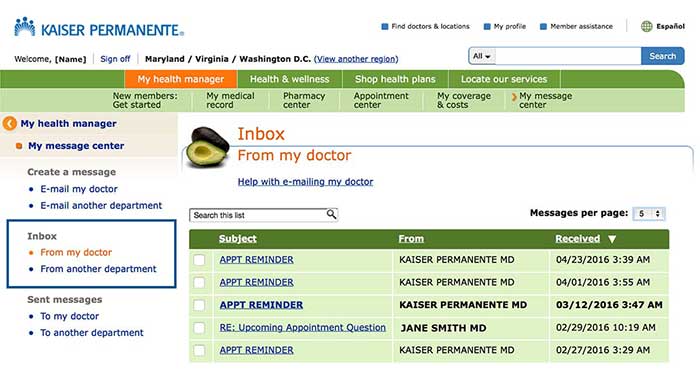
In 2014, Kaiser members used the portal to:
Lab test results and secure patient-clinician email became widely available to Kaiser Permanente members in 2006. Over the next year, the numbers of lab results viewed online and email messages sent to clinicians grew steadily. Between 2006 and 2007, lab test results viewed online increased 157% and email messages to clinicians increased 152%. Viewing test results soon became the most-used portal feature. 40
Kaiser members primarily emailed their clinicians to discuss:
- A change in health condition
- Lab results
- New condition
- Prescription dose
- The need for a new prescription
These emails can prompt necessary care that may have otherwise been overlooked. Six out of 10 patient-initiated emails led to new clinical assessments or decisions, and 1 in 4 required clinical action (like a lab test). 41
Primary Health Medical Group 42 | From the field
Primary Health Medical Group clinicians can send lab results to patients using secure messaging. Clinicians can include a brief message explaining the results (for example, “Your results are normal”) and any needed follow‐up instructions (for example, “Come back in 3 months for a recheck”). For serious lab results, clinicians use the phone to discuss results with the patient. Clinicians encourage patients to review their medical information and report inaccuracies.
3.3 Share notes
Patients immediately forget up to 80% of the clinical information they receive during a visit. 43 Clinician notes can give patients a snapshot of a visit so they can better remember, understand, and act on their clinician’s advice after the visit has ended. Patients have always had a right to see these notes — but until recently there hasn’t been a simple, straightforward way to access them. 44
By offering patients access to notes through a portal, you can promote transparency and change the way people engage with their health and care. 45 Since patients are the best source of information about their health, they can also act as a second pair of eyes on the record. With patients checking for accuracy, clinicians can improve the quality of a medical record and make more informed clinical decisions. 46
Tips for Clinicians
When sharing notes with patients, it’s important to:
- Explain to patients what they can expect to see in the notes
- Use plain language instead of medical jargon or abbreviations
- Soften language and add context, when necessary (for example, instead of labeling a patient as “obese,” include their BMI and link to patient education about BMI)
- Keep notes focused on specific issues
- Discuss lab or study results, if applicable
- Reference educational materials, whenever possible 47
An Evaluation of OpenNotes 48 | From the field
A study across 3 sites — Beth Israel Deaconess Medical Center (BIDMC) in Massachusetts, Geisinger Health System (GHS) in Pennsylvania, and Harborview Medical Center (HMC) in Washington — found that most clinicians had positive or neutral experiences with OpenNotes (a national initiative that promotes sharing notes with patients 49 ). When asked about the most difficult aspect of OpenNotes, 3 out of 4 clinicians commented that nothing was difficult and that they experienced no changes in their practice. Several doctors acknowledged fears about an additional time burden and offending or worrying patients — but said that these concerns didn’t materialize.
The majority of patients who participated in the study used OpenNotes. Out of roughly 13,500 patients with access to clinician notes, more than 11,000 had opened at least 1 note.
Myth
Clinicians fear that patients may misinterpret or misunderstand their notes — causing more worry for patients and more work for clinicians.
Reality
For most clinicians, sharing notes doesn’t affect their workload — and using OpenNotes improves patients’ engagement and sense of ownership over their care.
Patients across all health systems reported experiencing benefits from seeing notes. Specifically:
77% to 87% across the 3 sites reported that OpenNotes helped them feel more in control of their care.
60% to 78% of those taking medications reported increased medication adherence.
20% to 42% reported sharing notes with others.
“Making visit notes available online is a good idea.”
— 85% to 88% of clinicians in the study agreed
Adopting OpenNotes: Partnering with Patients
OpenNotes isn’t software or a product — it’s an approach to giving patients access to notes from their health care visits. OpenNotes can benefit health care practices and patients by increasing transparency and patient engagement. Complete this module to learn 6 steps for adopting OpenNotes in your practice.
Go to the AMA STEPS Forward™ Adopting OpenNotes: Partnering with Patients module.
OpenNotes at Kaiser Permanente 50 | From the field
Kaiser has found that most patients with access to visit notes read them, and many discuss them with clinicians or loved ones. The majority of Kaiser patients who used OpenNotes reported improved self-care:
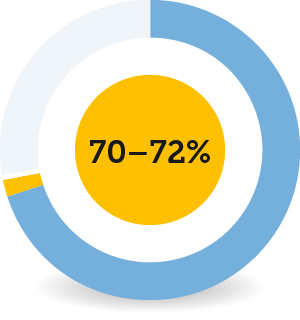
70–72% of patients reported taking better care of themselves.
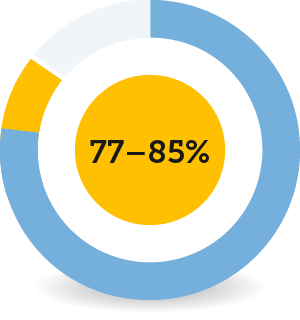
77–85% reported better understanding of their health and medical conditions.
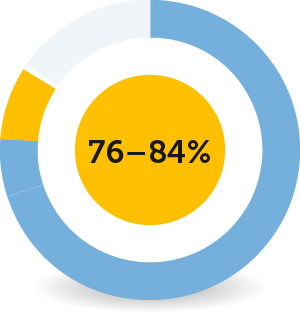
76–84% reported remembering to plan for their care better.
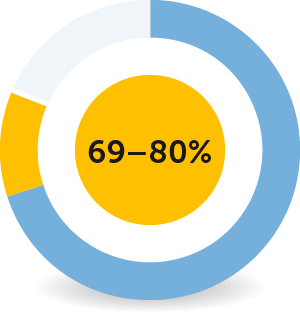
69–80% felt better prepared for visits.
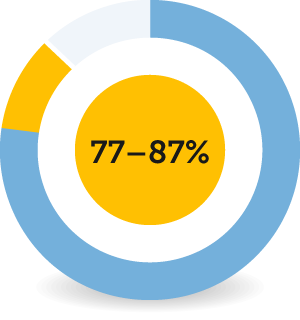
77–87% felt more in control of their care.
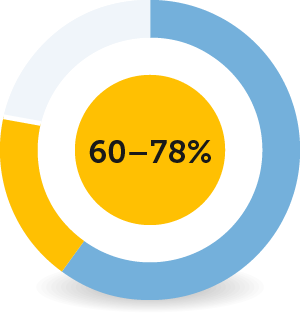
60–78% of patients taking medications reported improvements in taking medications as prescribed.
This increased patient involvement in health and medical care can lead to more efficient care, better patient-clinician communication and, ultimately, healthier outcomes.
Access to OpenNotes is important to the majority of Kaiser members: Roughly 6 of 10 members who logged onto KP.org after a recent visit said that OpenNotes would be a “very important” factor in future health plan decisions. About 4 of 10 who hadn’t logged on said the same.
“Reviewing the notes I SEE why I need to lose weight…It feels like my [d]octor really cares about my health, I never knew that.”
— Patient in study
3.4 Connect your patients to educational and community resources
Research shows that adding educational resources to patient portals can make them more useful and effective 51 — and help you increase patient engagement. Portals and electronic health records can also help your staff provide tailored information and community resources to patients who may benefit from them.
Try this tool!
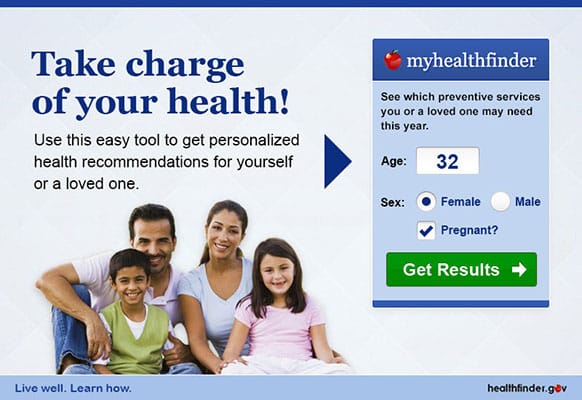
Add the myhealthfinder tool to your portal or website.
When choosing educational resources to add your patient portal, it’s important to select trusted sources. For example, healthfinder.gov offers actionable, evidence-based, plain language health and wellness information, as well as free interactive tools like myhealthfinder, which provides personalized preventive health care services recommendations.
Because healthfinder.gov manages the content, you can add the tool to a portal or website without having to worry about keeping the information relevant and up-to-date.
You can also use your EHR to track social determinants of health: the social, economic, and environmental conditions that can affect health and health outcomes. Including this information in your EHR can help your staff identify and address factors that may contribute to health complications, such as unsafe housing or lack of access to safe opportunities for physical activity.
See the PRAPARE Implementation and Action Toolkit for resources on how to set up your EHR to gather data on social determinants of health, and how to assess and respond to that data once it’s collected.
CommunityRx | From the field
To address key social determinants of health on Chicago’s South Side — like food access, employment, and social support — CommunityRx developed a real-time automated system called HealtheRx. The system connects patients to community-based services and resources that can help them stay healthy and manage chronic conditions.
HealtheRx is embedded in EHR systems and seamlessly integrates with clinic workflow, matching patient health information with relevant wellness programs and services located near their home. Patients can also talk to dedicated Information Specialists to get help navigating and understanding the resources available to them.
3.5 Support electronic records requests
More and more patient health information is available electronically — but patients and caregivers still face challenges in accessing, using, and sharing their data. Patient portals may not include all the information patients need — and what's there may be inaccurate or incomplete. And often, health data can’t be requested or shared electronically, or transferred to other health care clinicians without a cumbersome, multi-step request process.
To learn more about the challenges patients face in the records request process, check out ONC’s report Improving the Health Records Request Process for Patients: Insights from User Experience Research [PDF - 2.6 MB]. The report includes personas and journey maps illustrating these challenges, as well as tips on creating a better records request process.
We know that patients and caregivers who do have access to their data can better coordinate their health care, prevent repeat or unnecessary tests and procedures, and have greater control over their health and well-being.
That’s why ONC is committed to addressing large-scale access and portability issues — to help in creating a medical records request process that works for everyone.
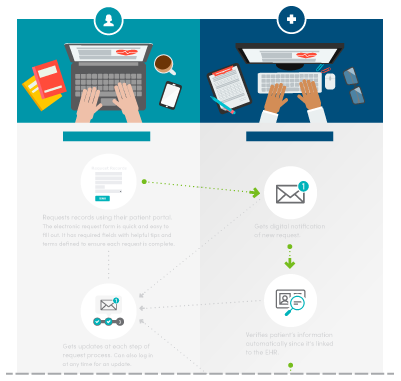
There’s a lot that health care practices can do today to improve the records request process and reduce the burden on consumers, clinicians, and care teams. Integrating records requests into your patient portal is a win-win — it increases patient satisfaction, saves time, and reduces hassle for clinicians, administrators, and other practice staff.
Novant Health | From the field
Novant Health, a network of clinics and hospitals headquartered in North Carolina, makes it easy for patients to request health records electronically. The Novant Health website offers clear instructions for submitting a medical records request, including answers to frequently asked questions about the process.
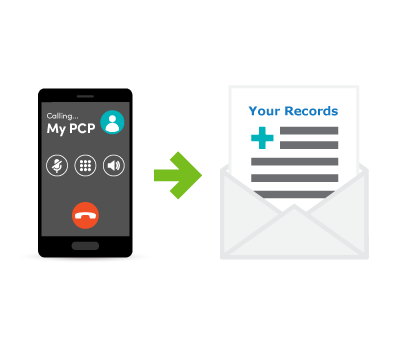
Novant Health patients can request medical records:
- By fax
- By email
- Via their patient portal
Allowing patients to submit a record request electronically is a great way to increase patient access. With both email and patient portal submission as options, patients can submit their request at a time that’s convenient for them — instead of having to locate a fax machine or hand-deliver a request form during office hours.
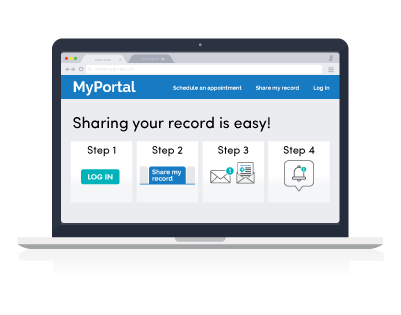
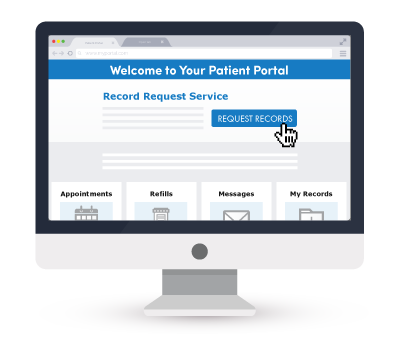
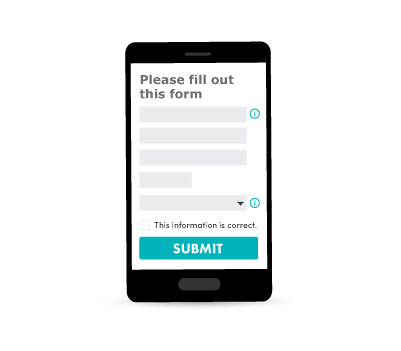
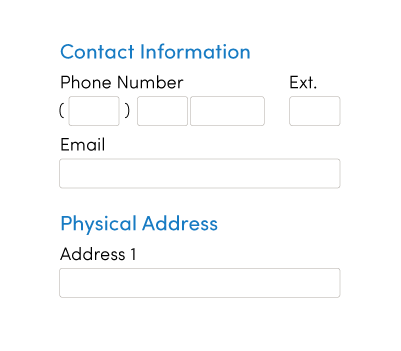
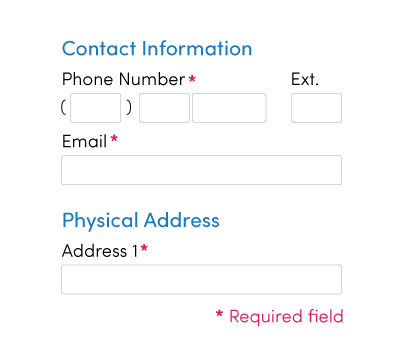
Using the patient portal as a tool to access medical records also enables patients to request and view their health data on their own time. The portal verifies patients’ identity through the login, and the electronic request form is easy to fill out and secure to submit.
Improving the records request process for patients



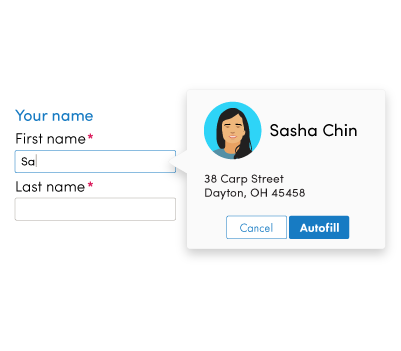
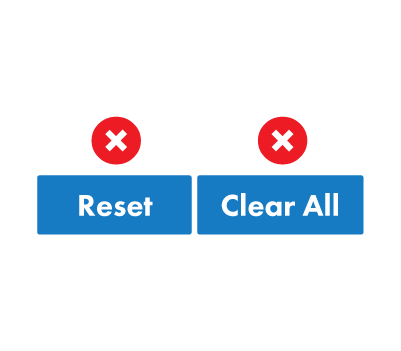
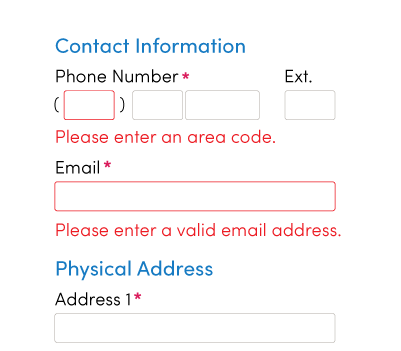

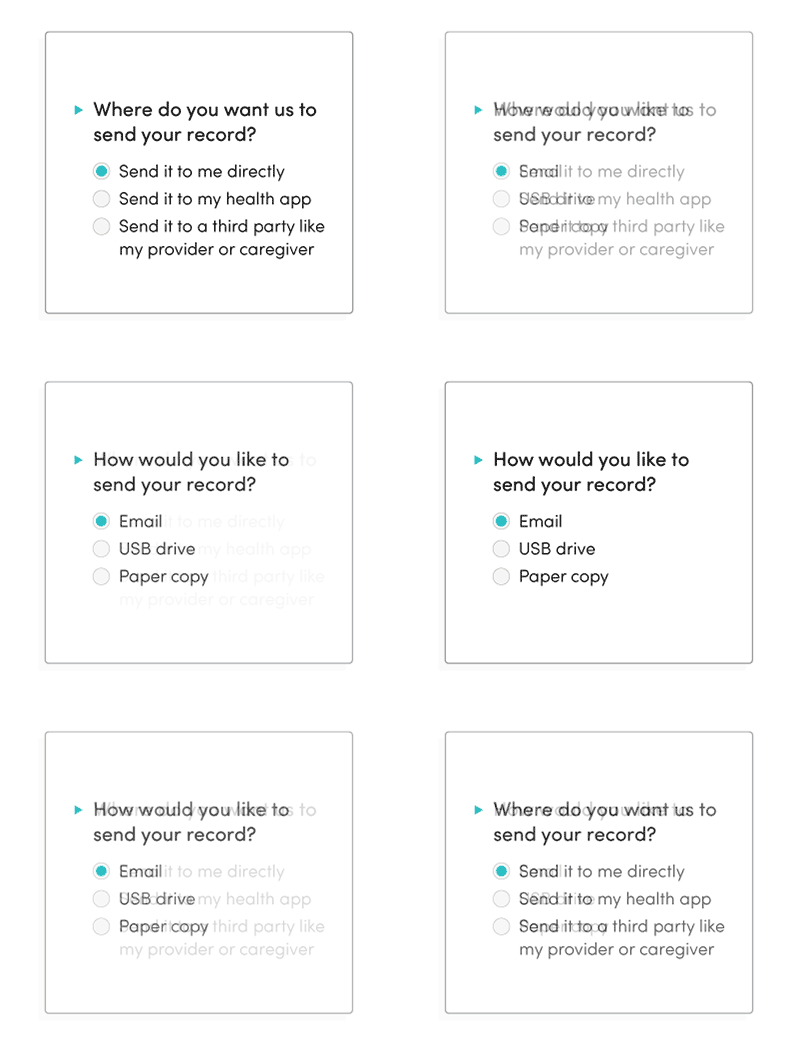

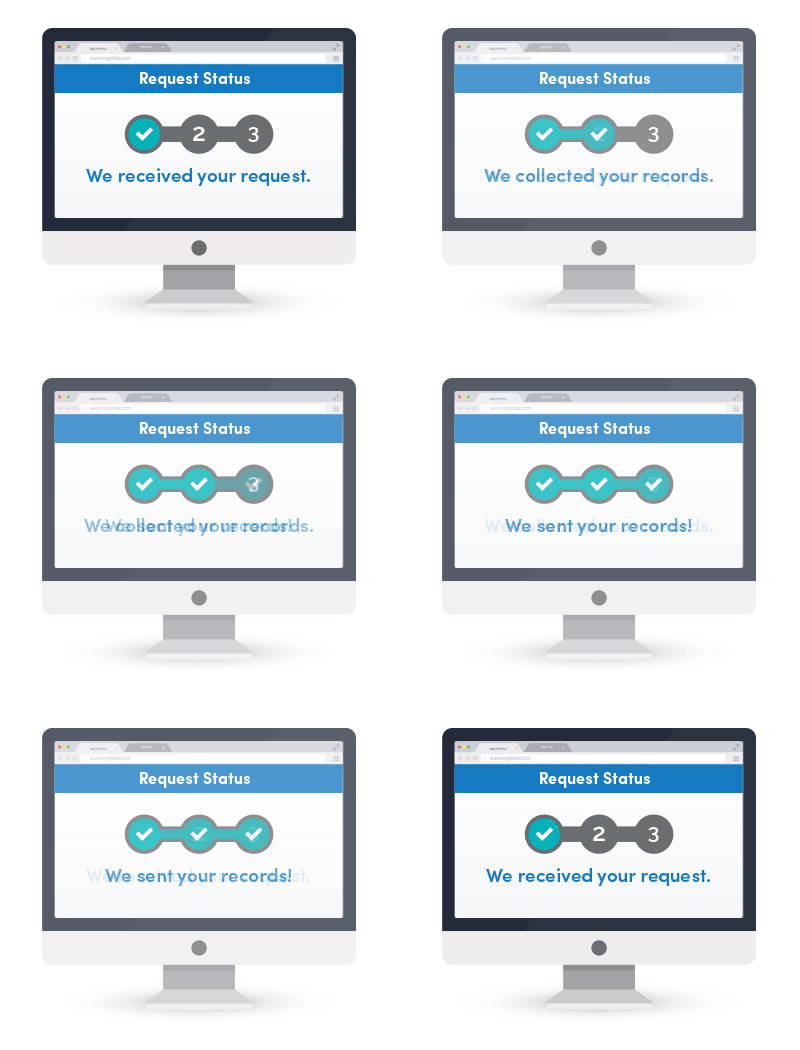


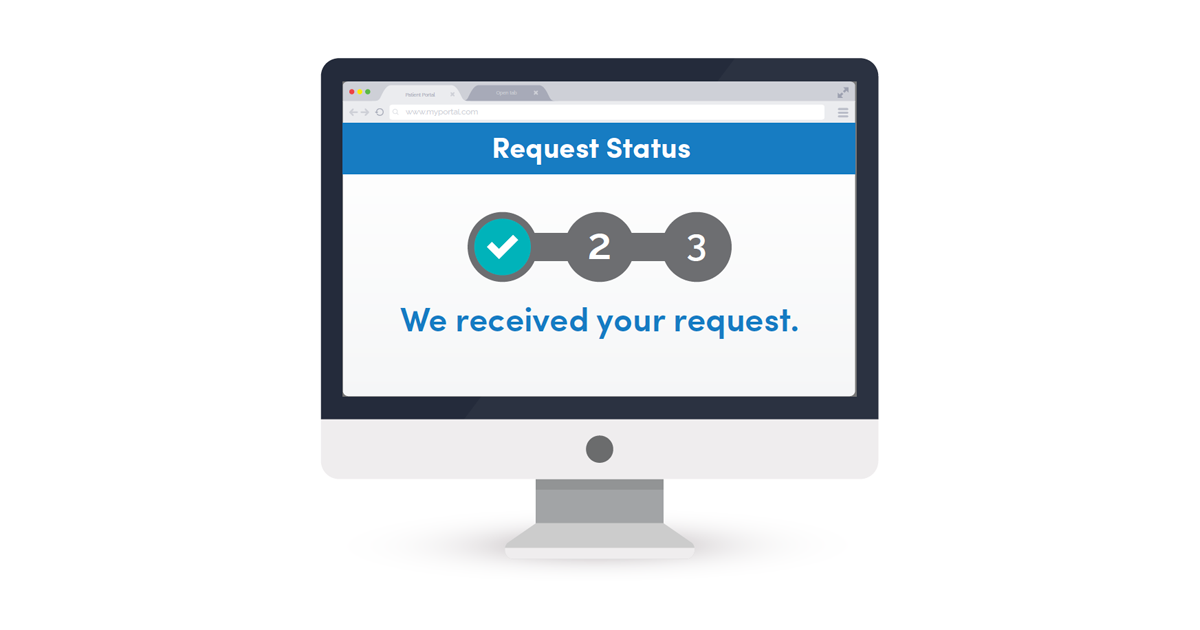
Disclaimer: “From the field" examples are provided for informational purposes to illustrate a range of real-world implementation approaches. References to specific organizations, products, services, or technologies do not constitute or imply endorsement, recommendation, or preference by the U.S. Department of Health and Human Services or the U.S. Government. Inclusion of an example should not be interpreted as indicating that the approach is appropriate for all settings or circumstances.
Chapter 3 Recap
Take advantage of patient portal features to improve communication and create value for patients and clinicians.
- Allow online booking and prescription refills
- Set up secure messaging
- Share notes
- Connect your patients to educational and community resources
- Support electronic records requests
Content last updated on: May 31, 2019
Chapter 4
Ensure all patients can access and understand information
In this chapter
Learn how to:
- Take steps to ensure your portal is accessible for all patients and encourage them to use it
- Address adolescent health and privacy concerns in the context of relevant state laws
- Support non-English-speaking patients by providing materials and communication channels in their preferred language
Patient portals can be a powerful force in patient engagement — but it's important for them to be inclusive and accessible. In 2017, nearly 1 in 5 individuals who were offered access to their online medical record but didn't view it said they didn't have a way to access the website. 52 It's also important for health care providers to actively encourage patients to use their portals. In 2024, individuals who were encouraged to use their patient portals to access their online medical record did so at a much higher rate — over 50% higher — than individuals who were not encouraged. 53
Depending on your patient population, trouble accessing or using the patient portal can contribute to health disparities — preventable differences in health outcomes between groups of people that are closely linked with social, economic, or environmental disadvantages. For example, if a portal's medication refill reminders are only available in English, patients with limited English proficiency may be less likely to get the medications they need to manage chronic conditions.
When setting up your portal, take steps to ensure that it meets the needs of all your patients.
4.1 Ensure portal access for all patients
To support all patients in accessing their health information, you can:
- Offer your patient portal in multiple languages
- Make sure your portal is mobile-friendly and that the pages load quickly, so that users with limited data or slow connections can still access it
- Check that your portal is easy to navigate for patients who use screen readers or other assistive technology
In 2024, most individuals (57%) used smartphone health apps to access their online medical records, while many (42%) only used web-based access through their patient portals. 54
Keep in mind, simply offering patients access to a portal isn't enough — actively encouraging them to use it is key to ensuring they access their online medical records, review written instructions or clinical notes, and view test results. As the figure below shows, patients are much more likely to be engaged and use your online services when you encourage them to do so. 55
Within the portal, you can also capture information that helps your staff provide culturally and linguistically appropriate care — such as data fields indicating patients' preferences.
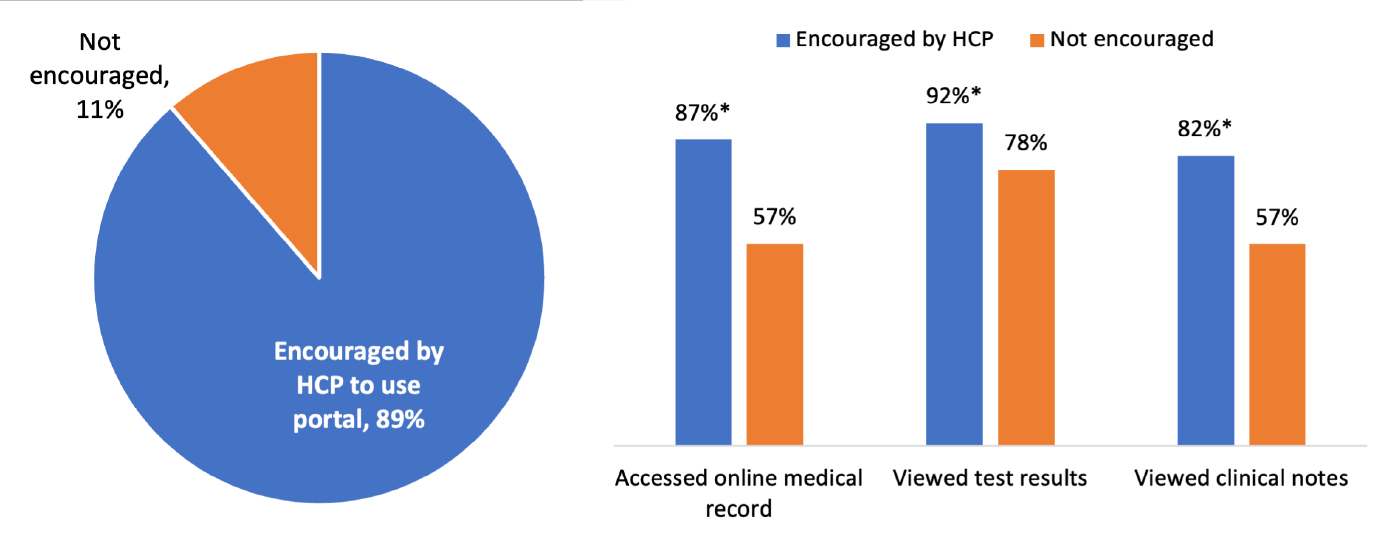
Notes: Denominator represents individuals who were offered access to their patient portal by a health care provider or insurer. ^Denominator for specific uses of a patient portal is among those who accessed their portal at least once in the past year. *Indicates statistically significant difference from reference category (p<0.05).
Make sure caregivers have patient portal access
For patients who are unable to access or use their portal (due to factors like limited cognitive function, lack of education, or inexperience with technology), family members or friends are essential members of the care team. 57
Take steps to allow portal access for caregivers while acknowledging both the diverse roles caregivers can play and patients' varied needs and desires. In 2024, over 50% of caregivers accessed the patient's online medical record when offered access, a figure that doubled between 2020 and 2024. 58
The NewYork-Presbyterian Portal Help Desk | From the field
NewYork-Presbyterian (NYP) implemented a support service to help patients overcome common challenges to using their patient portal. After launching the MyNYP patient portal in 2009, NYP looked for ways to help patients make the most of it. In 2012, the organization launched a Help Desk for patient portal users [PDF - 414 KB] to provide added support.
Four full-time staff provide support in English, Spanish, and Chinese, fielding 120 to 160 requests each week. They solve technological issues, help patients who struggle to find information on the portal, and address common errors in a patient's profile.
NYP established clear standards for responding to requests. Staff members typically respond to patients' online requests in 1 to 2 business days — and make every effort to resolve the issue at first contact by working with other hospital departments as needed, rather than referring patients elsewhere. For example, if a patient is looking for information that typically isn't available on the portal (like sensitive health information), the Help Desk works with the Medical Records department to upload that data to the patient's record.
After making updates to the portal, Help Desk request complexity increased, while the total number of requests decreased. This observation suggested that NYP increased patient engagement by offering additional, comprehensive portal services.
The MyNYP Help Desk experience highlights several key strategies for effective patient portal support:
- View the portal as a patient engagement tool, not just an information technology (IT) solution
- Set clear response standards to ensure consistent, high-quality support
- Resolve issues directly, and at first contact when possible, rather than redirecting patients to other departments
4.2 Address adolescent health and privacy concerns
For adolescent patients (ages 12 to 17), setting up varied levels of portal access can be particularly tricky. Adolescents may want to keep their health care decisions and medical information private, but laws vary from state to state.
Some state laws allow minors to receive specific kinds of health care, like mental or sexual health services, without their parents knowing or consenting. Others say that minors can make decisions on their own if they have an “adult status,” like being married or in the military. 59
Parents may also want to keep certain information, like a family history of disease, between only themselves and their adolescent's provider.
Variance in state adolescent consent and privacy laws 60 | From the field
A 2022 study published in Pediatrics found wide variation in state laws on adolescent health consent and privacy, which may create challenges for health systems providing adolescent-specific patient portal access. Services reviewed included mental health care, sexually transmitted infection (STI) treatment, contraception, substance use care, and HIV services.
Key findings from the review:
- No 2 states had the same set of laws covering adolescent services.
- Some state laws don't fully align with the American Academy of Pediatrics' recommendations for evidence-based adolescent care.
- State variation can limit how health IT systems manage adolescent privacy, such as which records teens can see and what information parents can access.
Health systems must navigate these differences — which may continue to change — and thoughtfully balance legal requirements, patient engagement strategies, and recommended standards of care when implementing patient portal features and updates.
Adolescent MyChart 61 | From the field
The University of California at San Francisco (UCSF) has customized MyChart — the patient portal offered through their electronic health record vendor, Epic — to offer appropriate patient and representative access that meets Meaningful Use requirements. The result is Adolescent MyChart.
Adolescent MyChart gives each audience access to distinct portal information.
| Content | Adolescent (12-17 years) |
Parent Proxy (≥12 years) |
Parent Proxy (0-11 years) |
|---|---|---|---|
| Labs | YES | YES | YES |
| Immunizations | YES | YES | YES |
| Allergies | YES | YES | YES |
| Growth Chart | NO | NO | YES |
| Messaging to and from provider | YES | YES | YES |
| Appointment Request | YES | YES | YES |
| Appointment View | YES/NO* | YES/NO* | YES |
| Problem List/Summary | NO | NO | YES |
| Medications/refill request | NO | NO | YES |
| Goals | YES | YES | YES |
| Care Team Members | NO | NO | YES |
| Social History | NO | NO | YES |
| Vital Signs | NO | NO | YES |
| * Teens and Teen Proxy can see only non-sensitive future and past appointments. For non-sensitive past appointments, the teen and proxy will be able to see notes, including patient instructions, but not the AVS. | |||
At UCSF, parents have limited portal access to potentially sensitive information about their teen children. This lines up with California law, which allows teens between ages 12 and 17 years to keep care for medical needs like STI testing, contraception, and pregnancy care private. For example, parents can't access lab results from a pregnancy test or obstetric ultrasound.
Through Adolescent MyChart, UCSF can more successfully engage teens in their care while also protecting their privacy.
4.3 Engage non-English-speaking patients
As you're developing and improving your patient portal, it's important to be inclusive and accessible to non-English-speaking patients as much as possible. According to the U.S. Census Bureau, 22% of individuals age 5 years and older speak a language other than English at home. 62
To support non-English-speaking individuals in your patient population, you can: 63
- Use the portal landing page to make materials available in languages spoken by your patients
- Enable your system to send text messages to patients in their preferred language, either as part of the portal or as a stand-alone functionality
- Let patients know they may send secure messages to their provider in their native language — if you have workflows developed to translate and respond to these messages
Charles B. Wang Community Health Center (CBWCHC) | From the field
Since December 2013, the CBWCHC patient portal has provided services in Traditional Chinese in addition to the Center's original English platform. The platform is now also available in Spanish and Korean.
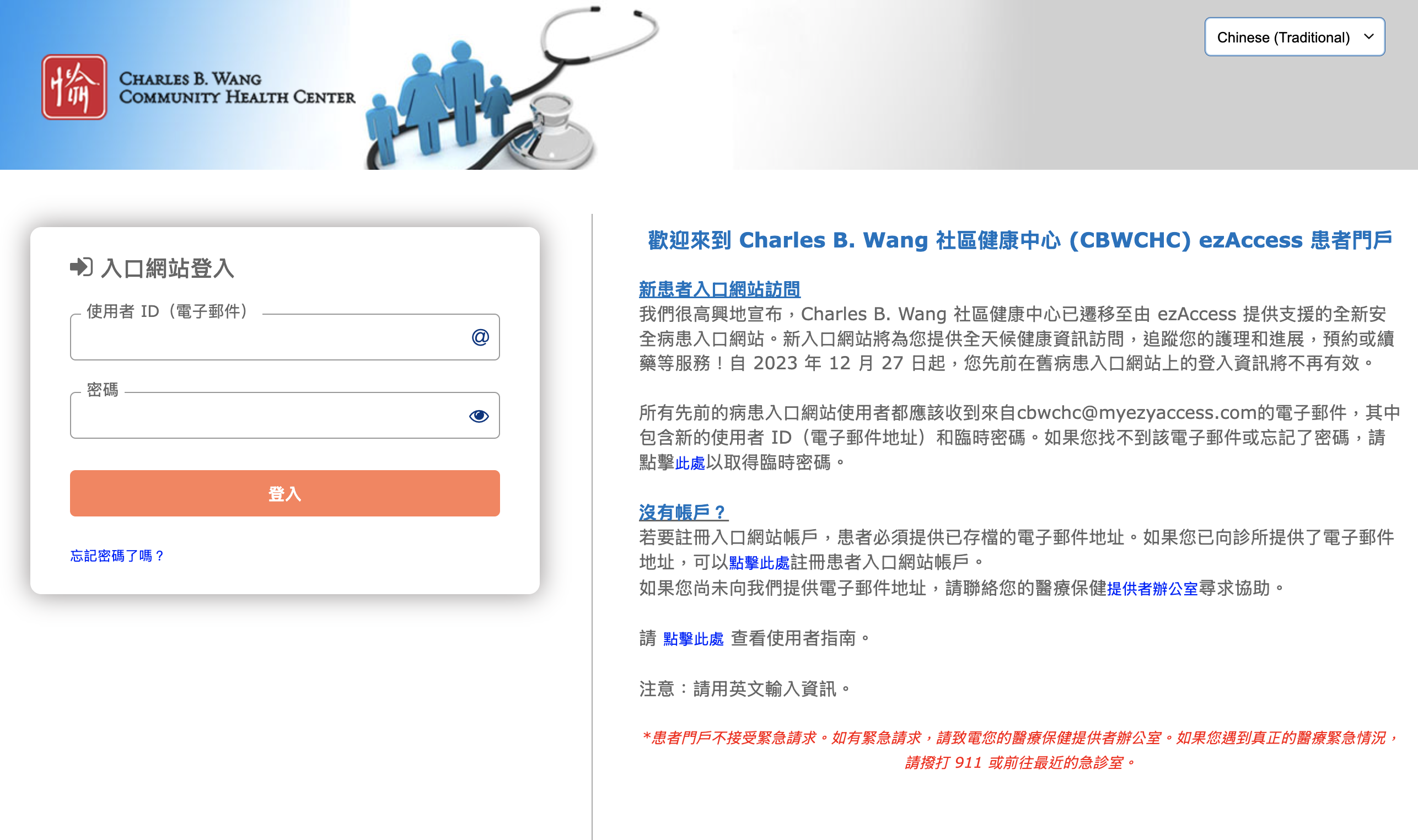
Before launching, an interdisciplinary project team collaborated to develop and review the portal, ensuring that it was easily accessible, culturally sensitive, and supportive of positive health outcomes.
“Promoting patient engagement through tools such as linguistically-appropriate patient portals is a key step for maintaining the importance of individual patient needs in receiving care services.”
— Lynn Sherman, MBA, Chief Financial Officer at the Charles B. Wang Community Health Center
Disclaimer: “From the field" examples are provided for informational purposes to illustrate a range of real-world implementation approaches. References to specific organizations, products, services, or technologies do not constitute or imply endorsement, recommendation, or preference by the U.S. Department of Health and Human Services or the U.S. Government. Inclusion of an example should not be interpreted as indicating that the approach is appropriate for all settings or circumstances.
Chapter 4 Recap
Look for opportunities to make your patient portal accessible and secure for all users.
- Take steps to ensure your portal is accessible for all patients and encourage them to use it
- Address adolescent health and privacy concerns in the context of relevant state laws
- Support non-English-speaking patients by providing materials and communication channels in their preferred language
Content last updated on: August 14, 2025
Chapter 5
Allow portal access for caregivers
In this chapter
Learn how to:
- Set up levels of access so patients and caregivers can see different information
- Help patients engage in advance care planning (ACP)
According to the AARP and National Alliance of Caregiving, approximately 63 million people across the United States, or one in four adults, are family caregivers for an adult or child. 64 They provide care at home and drive children or parents to the doctor or emergency room. They also coordinate care and update health information across clinical settings and specialists, school clinics and independent living facilities, in person and remotely by telephone or email. Sometimes they help patients to overcome health literacy or health IT literacy difficulties.
Likewise, allowing family members and family caregivers, and sometimes friends and neighbors, to access one’s patient health information through a portal is becoming much more common. In 2019, non-federal acute care hospitals reported offering this access to 89-90% of patients’ designated caregivers across inpatient and outpatient settings. 65 The number of caregivers who used the portal to access the patient’s health information doubled from 2020 to 2024, from 24% to 51%. 66
Laws like the Health Insurance Portability and Accountability Act (HIPAA) are designed to keep patients’ medical records and personal health information private and secure. At the same time, HIPAA allows family caregivers— also known as personal representatives—to have proxy access to and use of a patient’s health information, 67 because in many situations, it is appropriate or necessary for a family member, friend, or other caregiver to have access to a patient’s health information so that they may coordinate, deliver, or oversee care. To facilitate and encourage caregiver access, clinicians and practice administrators will also want to follow federal and state laws related to proxy access.
Similarly, federal regulations require that ONC-certified electronic health records and certified health IT must allow patients—and patient-authorized representatives, such as family caregivers—to access, view, download, and transmit a patient’s health information. 68

Under HIPAA, a patient’s personal representative (someone authorized under state or other applicable law to act on behalf of the patient) has a right to access the patient’s personal health information. The patient also has a right to allow their personal representative to share this information with someone else, like a doctor or hospital. 70
Examples of family caregivers and others who may need to access patient information for specific reasons include:
- A parent of a minor child to coordinate visits to the child’s pediatrician or an emergency room, and provide relevant information about the child’s health and immunizations to schools and summer camps
- An adult child of a parent or parents who request or need help with their health care
- A home health aide to a chronically ill patient
- A health care power of attorney responsible for an incapacitated patient’s medical decisions and care 71
- Anyone the patient authorizes under a durable power of attorney for health care
- A family member or other personal representative who needs health information about a deceased family member
Patient Success Story
Suzanne Mintz, caretaker
"Portals make you feel like you are a member of your own care team."
The opportunities created by caregiver access to patient portals include: 72
- Enabling providers to differentiate with whom they are exchanging secure messages: the patient or someone else involved in their care
- The ability to respect patient preferences for including others in their care
- Improved transitional care by providing family caregivers with timely, accurate, and comprehensive information after patients have been discharged from the hospital, including the doctor’s or hospital’s discharge instructions
- Greater collaboration between clinicians and family caregivers
- More impactful involvement of caregivers in patients’ self-management plans
- Greater information transparency, which enables family caregivers to alert clinicians to missing or inaccurate information in patients’ health records
Fully integrating and implementing family caregivers’ shared access to patient portals is a major step in patient engagement. It has the potential to increase clinical quality and patient safety, expand shared care planning, improve health system interactions, spot errors and omissions in the patient’s health record, and strengthen partnerships between patients, caregivers, and clinicians.
Tips for Practice Administrators 73
Practice administrators can take steps to enable caregivers’ access.
- See if your EHR vendor allows providers to set varying levels of access to a patient’s portal information to enable family caregivers to access, view, download, and transmit their health information
- Work with your EHR vendor to make sure you can give each personal representative a unique, secure login to access the patient’s portal
- Make sure that staff and clinicians understand registration processes and timelines for granting shared/proxy access — and identify practice workflows for implementation, including when registration happens, how it happens, who is involved, etc.
- Make sure that patients and family caregivers understand these registration processes and timelines, and how to use proxy access, perhaps as part of welcoming new patients and annual reminders for existing patients
- Consider strategies to promote awareness about the availability of shared/proxy access among your patients, staff, and clinicians, including why it’s important to access patient’s health information the right way, and how you’ll get the access you need
Tips for Clinicians
Clinicians play an important role in encouraging and even managing caregivers’ access.
- Talk regularly with your patients to find out who else is involved in their care and needs to stay informed about their treatment plan
- Ask your patients about their preferences for giving their family caregivers access to their health information (HIPAA generally allows a provider to share health information with family members or friends involved in the patient’s care unless the patient objects) 74
- When a patient makes a request or circumstances warrant, customize caregivers’ access to the patient’s portal information, such as age-based restrictions for adolescent health information or restricted access for sensitive information like psychotherapy notes and pregnancy tests
5.1 Set up varying levels of access
Many patient portals still offer a one-size-fits-all approach to information access where family caregivers, friends, neighbors, and others with the right login see the full medical record in the patient portal. Some patients share their own login credentials with their family caregivers, but this gives family caregivers access to the patient’s portal information — including being able to view the patient’s private messages to or from clinicians. What does the patient prefer?
An environmental scan of 20 large and geographically diverse health systems found that the majority of them give caregivers full access to patient portal information and features, yet the researchers also reported that patients’ preferences for sharing their health information with others involved in their care vary widely. The study indicates that there’s still much to be done in both promoting awareness and differentiating levels of access that respect patients’ choices and control of their health information. 75
As noted above, family caregivers’ relationship with the patient can vary, and their respective need for and use of the patient’s health information—and the patient’s preferences—might vary, too. Examples include the personal representative under HIPAA, someone named as a power of attorney for health care, the parent of a teenager with reproductive health data, and someone needing information to help finish the next steps after a loved one dies.
Establishing different levels of access can help you balance the competing needs of patient privacy and caregiver access. Giving caregivers their own unique login to the portal has other advantages beyond respecting patient privacy. It can also:
- Increase security by tracking the portal use of each individual, instead of a caregiver using a patient’s credentials 76
- Increase the amount of meaningful data available to learning health systems by capturing both patient-reported and caregiver-reported data 77
Tip for Practice Administrators
- Allow patients and their representatives to see different information and access different features, depending on a patient’s needs and characteristics as well as relevant laws.
5.2 Integrate health information from family caregivers and advance care planning documents
Family caregivers can be involved across the arc of a person’s care and health history: the mother who recently delivered a newborn infant, the parent taking care of a minor child, the partner taking care of a spouse with cancer, the adult managing the care of a parent with Alzheimer’s disease, or the friend or neighbor helping with the care of someone with multiple chronic conditions. Accordingly, family caregivers might have a wide range of health information to share with clinicians and practices about the patient’s health, shared care planning, and health goals. Family caregivers can share this information by completing forms, sending updates and questions through secure messages, remote monitoring, reporting services by community or social service organizations to redress social drivers of health, even scheduling appointments.
Your patient portal can be an efficient and effective way to integrate much of that information across your patient population and their varied circumstances, especially if you design it and implement it with those capabilities in mind. This, in turn, can reduce the burdens on your practice to collect and record this information during office visits and telephone calls. Note that these features focus on and aid caregiving and care planning, but they are also examples of integrating patient-generated health data more broadly. Consult Chapter 6 of the Patient Engagement Playbook on patient-generated health data to learn more.
The common clinical data set in your EHR is called the U.S. Core Data for Interoperability (USCDI). Among many others, the USCDI includes data elements specifically about caregivers and care planning.
- A Care Team Members data class allows your practice to collect and integrate the name, role, location, and telephone number of care team members, including family caregivers.
- A Care Plan data class allows your practice to collect and integrate a shared care plan informed by members of a coordinated care team—including family caregivers. Care Plan data details conditions, needs, and strategies for addressing these conditions. These data also include problems, health concerns, assessments, goals, and interventions from across care settings.
Try this tool!
Share the PREPARE website with your patients to help them with end-of-life planning.
End-of-life planning, or advance care planning (ACP), is another way that patients provide critical decisions about their health goals and care, including using family caregivers. Often called advance directives, they have been shown to increase patients’ satisfaction with their health care and improve quality of life for people with a terminal illness. 78 But completing and documenting this process can be challenging for both patients and clinicians.
Patient portals can help with advance care planning discussions and boost patient satisfaction. 79 If your portal includes an ACP feature, consider promoting it to your patients. In lieu of that, some systems include the ability for patients to securely upload documents. If that’s an option, invite patients to add a PDF copy of their plan to their electronic record. Patients could also add a PDF copy of a durable power of attorney for health care, which designates and authorizes someone else, such as a family caregiver, to make decisions for the patient when the patient cannot.
Here again, USCDI can help practices collect and integrate this information for clinical use.
- A data class on Goals and Preferences includes a data element to record the existence of an Advance Directive and its location, content, type, and verification status. It also includes data elements to record the patient’s treatment intervention preferences and care experience preferences.
How to Talk to Your Patients About End-of-Life Care
Patients and their families can benefit from making end-of-life decisions ahead of time. Training health practice staff on how to approach this sensitive topic can help patients feel more comfortable making these decisions. This toolkit can help prepare clinicians for these conversations. It highlights “conversation ready” principles and includes patient cases that reflect diverse backgrounds and experiences at different points of illness with diverse clinicians and care settings.
Chapter 5 Recap
To help meet patient and caregiver needs:
- Set up varying levels of portal access
- Help patients and family caregivers contribute to shared care planning and engage in advance care planning
Content last updated on: July 30, 2026
Chapter 6
Integrate patient-generated health data
In this chapter
Learn how to:
- Take steps to track patient-generated health data
- Improve preventive care by efficiently collecting family histories
- Use patient portals, APIs, and other health IT to systematically collect patient-generated health data and harness them to improve clinical care and patient health
Historically, clinicians have had limited access to patients’ health and well-being data. They’ve made do with information collected during patient visits, like self-reported lifestyle habits and family health histories.
Today, research shows that factors outside the clinical setting — socioeconomic, environmental, and health behaviors — all play a role in people's health and well-being. Patients and family caregivers are often the best sources for getting health and well-being data, including patient-generated health data. These data can be integrated into patients’ EHRs and support doctors’ decision-making for better care, prevention, better health outcomes, and lower costs.
A nationwide survey of adults by the National Partnership for Women & Families found that patients want more than just electronic access to view their health information. Patients also expect to be able to communicate with their providers and to share patient-generated health data about their health and conditions in real time. They expect to be partners in their care, with access and sharing in both directions.80
Today, health IT is transforming our ability to collect and integrate accurate, reliable patient data from different sources into EHRs. Clinical practices can use portals and application programming interfaces (APIs) to integrate patients’ health data from devices, remote monitoring, wearables, and more. Each year, the U.S. Core Data for Interoperability (USCDI)—the minimum, standardized set of structured data elements that certified EHR technology must integrate and exchange—adds more data elements capable of collecting patient-generated health data, such as Family Health History, Reported Medication, Pregnancy Status (i.e., the intent to become pregnant), Nutrition & Diet, SDOH Problems/Health Concerns, and Travel Information.81 In addition, the best practice is for clinicians to collect and record the patient’s self-reported values for certain health data, such as race, ethnicity, sexual orientation, gender identity, disability, and pregnancy status.82
In 2017,
More than
4 in 10
smartphone or tablet owners used their device to track progress on a health-related goal.83

In 2020,
More than
HALF
of these individuals used their mobile health app to facilitate discussions with their health care provider.

Using technology, patients can also share information that’s critical for health care decision-making but often too time-consuming or cumbersome for clinicians to gather — like family medical histories. What’s more, patients can provide these data from home, so that clinicians can maximize precious office visit time. At home, patients and family caregivers can refer to actual records and data rather than fill out forms from imperfect memory in the doctor’s office.


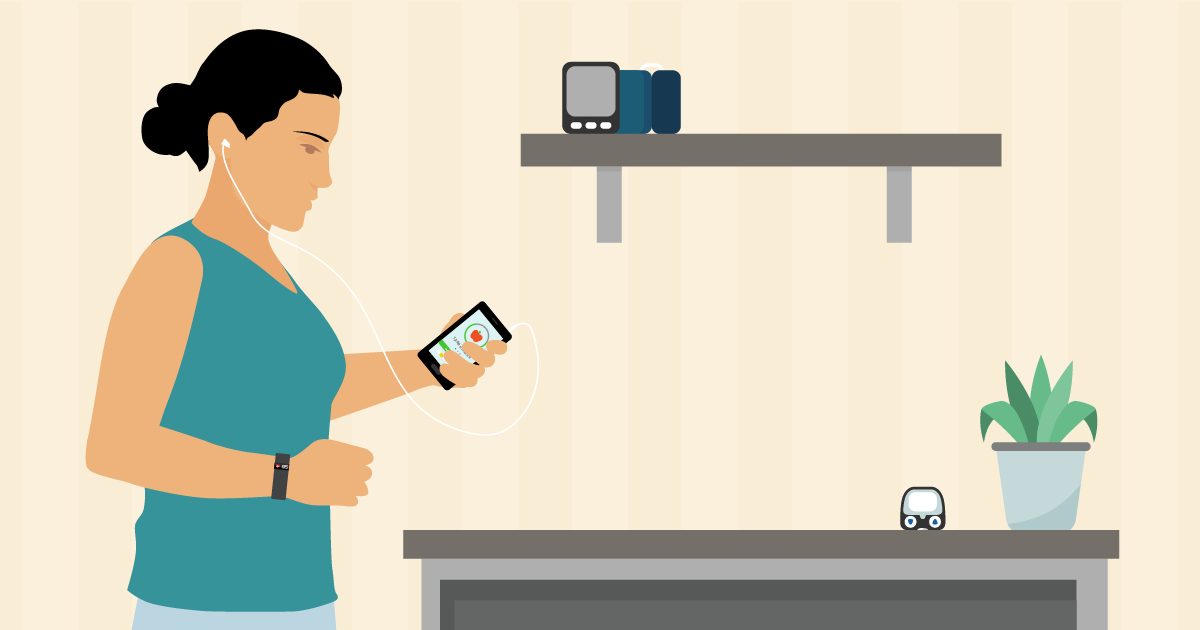
6.1 Track patient-generated health data
Across the nation, patients’ phones, computers, and personal health devices are teeming with patient-generated health data: health-related data that patients create, record, or gather to help identify and address a health concern. They include:
- Health history
- Treatment history
- Patient-reported outcomes
- Medication adherence
- BBiometric data, such as blood pressure, temperature, weight, and blood glucose levels
- Symptoms, such as nausea, headaches, and diarrhea
- Advance directives and birth plans
- Lifestyle choices, such as diet and exercise85, 86
As the amount of available data has grown, so too has our ability to collect, organize, and make sense of it all. More and more health systems are aggregating patient-generated health data in their EHRs and relying on these data to conduct remote monitoring — that is, to track patients’ health and wellness outside the clinic.
Clinicians can take advantage of these patient-generated health data to fill information gaps between appointments — and, ultimately, improve clinical decision-making, care delivery, and health outcomes.
The results are real for practices as well as patients:
- Fewer hospital readmissions, which can help avoid penalties for excessive readmission imposed by Centers for Medicare & Medicaid Services87
- Efficient diagnosis of illnesses, which saves practice resources
- Enhanced patient-centered care, so that clinicians can identify treatments and health behaviors that patients will follow through with
- Effective management of complex chronic conditions, so that patients can control their own health with less clinician intervention
“Using these tools — a wireless scale and bracelet-style activity tracker — my doctors and I have been able to assess intervention effectiveness, adjust dosages, unearth side effects, and clarify decision points.
Without the objective measure provided by my activity tracker, we would be basing our decision on my subjective assessments of getting worse… By putting my data to work for me, we can now do better.”
— Donna Cryer, liver transplant survivor88
Options for Integrating Patient-Generated Health Data
Across practices and electronic health records, it varies how EHRs integrate patient-generated health data and whether and when patients could write data directly to the EHR (e.g., research study data), or whether health system review and prior approval were required to authorize the data to be written into the EHR (e.g., patient-submitted corrections or amendments to the medical record).89 90 91
Patient Reported Outcomes
Patient reported outcomes are outcomes reported directly by the patient, such as symptoms, changes in symptoms, and effects of treatments. Patients might report these outcomes in person during an office visit, or through a patient portal as patient-generated health data. Collecting and tracking patient reported outcomes in real time can increase patient engagement and patient-provider partnership, improve care, and decrease emergency department visits and hospitalizations.
For example, see Advancing the Collection and Use of Patient-Reported Outcomes (PROs) through Health Information Technology, or see below for another example of patient reported outcomes in cancer care.
Navigating Patient Reported Outcomes in Cancer Care 92
Overview
A toolkit to increase the adoption of patient reported outcome (PROs) across federal agencies
Who it's for
Clinicians
When it's used
As a part of a patient’s cancer care to integrate their voices into their care plans
Download the Navigating Patient Reported Outcomes in Cancer Care Toolkit [PDF - 392 KB]
Incorporate Patient-Submitted Corrections and Amendments to the Medical Record
The HIPAA Privacy Rule requires that patients be able to submit corrections and amendments to their designated record set.93 These are quintessential patient-generated health data, for better data integrity and quality, better patient safety, and better treatment and care coordination.
Tips for Clinicians
Clinicians can use patient-generated health data to:
- Show how a patient is doing in real time between visits
- Illustrate a patient’s health and behavior over time
- Inform strategies for preventive care and chronic disease management
- Improve patient safety by providing insight into medication adherence and allergies94
- Spark and support conversations with patients that result in shared decision making95
- Predict hospital readmission risk
- Build patient engagement!
Portals can streamline data collection by giving patients a platform for securely sharing information and completing online questionnaires. As patients use portals more for these actions and gain a greater awareness of their health, they become more engaged. Clinicians, in turn, can use the portal to send patients reminders to submit data and to follow up with their patients as needed.
Tips for Practice Administrators
Consider taking steps to integrate patient-generated health data into your practice:
- Talk to staff about how patient-generated health data can improve care and efficiency
- AAssess what patient-generated health data you’re already gathering and what additional data would be valuable
- Develop policies and procedures, like when to accept data and who will review them
- Educate patients and families about the value of and expectations for sharing patient-generated health data
- Start small — for example, by launching a pilot to collect symptoms for patients managing a chronic disease — and make changes as needed96
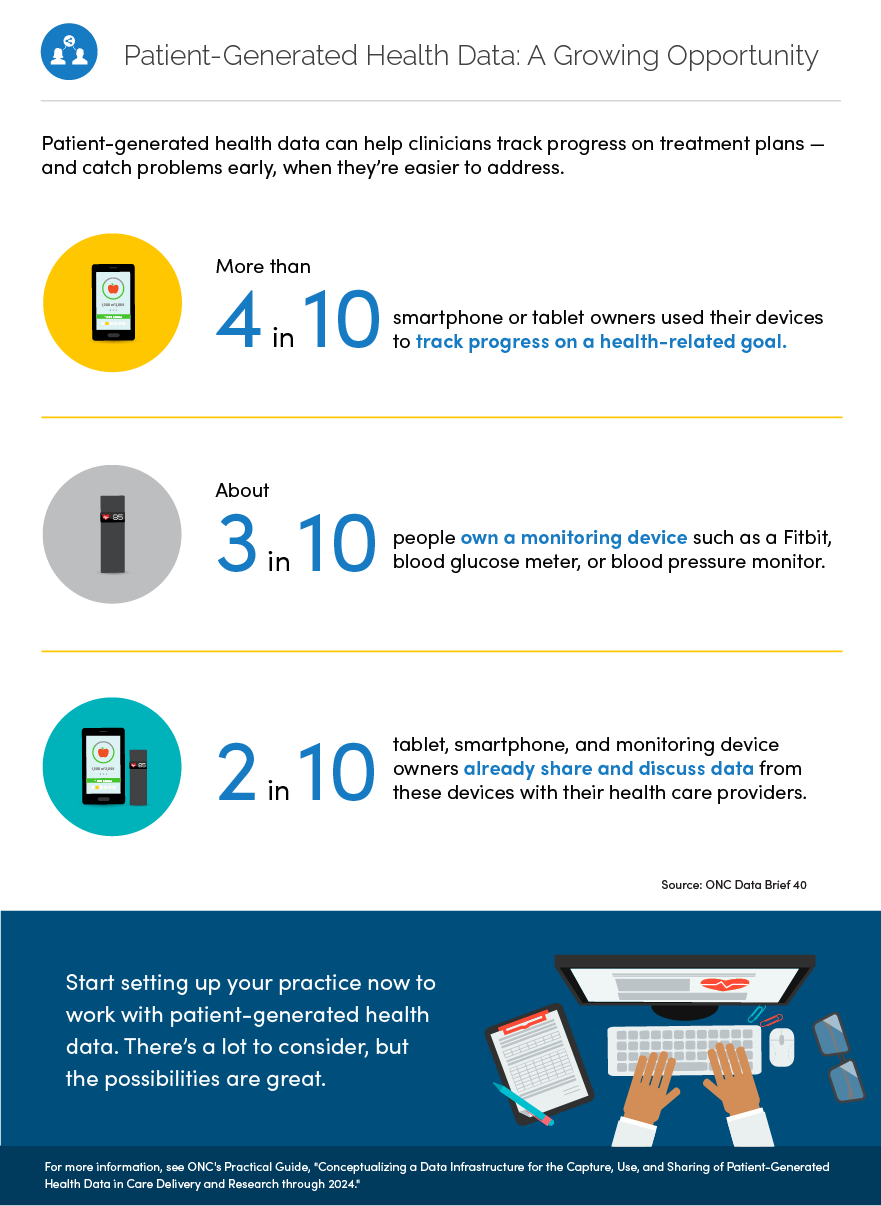
Patient-Generated Health Data Practical Guide
Overview
Document detailing best practices identified from 2 pilot demonstrations that tested concepts for the use of patient-generated health data in clinical care and research settings
Who it's for
Clinicians, researchers, health IT professionals, and health care administrators
When it's used
To learn suggested practices and questions to consider when implementing the capture, use, and sharing of patient-generated health data
Download the Patient-Generated Health Data Practical Guide [PDF - 392 KB]
Center for Black Women's Wellness | From the field

The Center for Black Women’s Wellness (CBWW) is a community-based, family service center committed to improving the health and well-being of underserved Black women and their families.
CBWW has a small community health center and provides a secure patient portal to help engage its patients in their health care and wellness. The portal enables patients to access and view their health data, and it enables patients to connect with their health team between office visits so they can contribute vital updates and data in real time—patient-generated health data. For example, patients can:
- report new medications that they are taking and request refills;
- report new health problems and changes to existing health problems;
- report new immunizations and changes to existing immunizations;
- report new allergies and changes to existing allergies; and
- send messages to their health team and request appointments.
Patients can participate and help their health team with better information for better care.
In the waiting room, the community health center runs an informational video to share with and motivate patients to use the many resources the patient portal can provide. The video not only illustrates access to existing health information but also focuses repeatedly on how a patient can add new health data across the tabs or propose corrections to existing data.
Click on the video above to learn more.
“Knowledge transforms lives; when patients and families understand their health, they gain the confidence to take charge of their wellness journey.”
— Fabian Appling, Clinical Operations Manager
Ochsner Health System97 | From the field
“In the past, we relied on patients to log information, bring it to us, and then we would input the data and decide a course of action. Now we can share information seamlessly between patient and physician to allow real-time, accurate analysis of a patient’s health status.”
— Robert Bober, MD, Director of Cardiac Molecular Imaging, Ochsner Medical Center
Ochsner Health System (OHS) is advancing the use of patient-generated health data through partnerships with Apple and its EHR developer.
Since October 2014, OHS has leveraged Apple HealthKit to create a more comprehensive picture of ongoing patient health. HealthKit, an iOS app, acts as a health dashboard by capturing health and activity data from other apps and wearable devices, like FitBit and Withings wireless blood pressure monitor. 98 Healthkit also has an open API (application programming interface), which enables other web applications to access its data. Using the API, OHS connected HealthKit to its EHR. As a result, OHS patients can automatically import HealthKit data into their EHRs and share it with clinicians.99
OHS piloted this integration in its Digital Medicine Program. The Digital Medicine Program, which focuses on patients with hypertension, uses remote monitoring to collect data including body weights and blood pressure measurements — all without patients leaving their homes. Clinicians and pharmacists see the data and follow up with patients in real time by, for example, adjusting their medications or tailoring lifestyle recommendations.100 One year in, OHS patients reported improved outcomes, engagement, and satisfaction with their care.
“For the first time in my life, I feel a sense of peace and comfort knowing that I’m under constant supervision and receiving high-quality care with little effort throughout my daily routine. This is the way health care should be.”
— Andres Rubiano, 54 year-old Digital Medicine Program patient who suffers from hypertension
The Center for Connected Health (CCH) implements programs rooted in connected health, a care model that uses information and communications technology — like mobile phones, computers, and wearable devices — to support patients’ health without disrupting their day-to-day lives.
CCCP cut heart failure-related hospital readmissions in half.
CCH’s Connected Cardiac Care Program (CCCP) showcases this approach. CCCP aims to improve self-management in heart failure patients at risk for hospitalization by combining:
- Regular clinical care
- Patient education
- Remote monitoring of indicators like blood pressure, heart rate, and weight
- Timely care and clinical feedback103
Clinicians used a central database to track all patient data. Data were also captured in patients’ EHRs.104
CCH conducted a retrospective study that evaluated the 4-month program105. At the outset, patients in the intervention and control groups had similar hospitalization rates. But for the duration of the program and up to 3 months after, hospitalization dropped significantly for patients enrolled in CCCP compared to those receiving typical care. CCCP patients also experienced significantly lower mortality rates during the program and for up to 4 months after discharge.106, 107
In addition to clinical outcomes, CCCP improved patients’ understanding of heart failure and self-management skills.108 These skills suggest a long-term payoff — even if patients have limited time in the program, they can still expect benefits down the line.
Clinicians come out on top, too. Even though CCCP costs $1,500 per patient, clinicians ultimately save $8,155 per patient from reductions in hospitalizations.109
“With our hospitals liable for thirty-day readmissions through CMS penalties, such interventions are becoming mainstay in the management of high risk patients.
As health technologies become more accessible and commoditized, programs like Connected Cardiac Care will be more affordable, and achieve an obvious return on investment.”
— Joseph C. Kvedar, MD, Vice President, Connected Health, Partners HealthCare
6.2 Collect family histories
“My goal over the past year has been to have the family history for most of my patients completed at least involving all first degree relatives. I did not find that this caused extra work or took much extra time – in fact it saved time and provided me valuable information for my practice.”
— Dr. Bruce Peyser, Medical Director, Pickett Road Clinic
Family health history can help predict a patient’s disease risk — essentially, it’s the simplest and least expensive form of genetic assessment.110 Traditionally, collecting and analyzing this information hasn’t been a routine part of primary care because of challenges like patients’ lack of knowledge (or memory lapse) about family history and clinicians’ limited time.
Now, technology-driven tools are changing the standard of risk assessments. For example, as mentioned above, the USCDI includes a Family Health History data element to help collect, use, and exchange standardized, structured data about patients’ family health histories. These tools enable patients to systematically collect family health histories and report back to their clinicians. Patients can complete these health histories at home with relevant records at hand rather than try to complete them by memory in the waiting room, which ensures accuracy and detail. Practice administrators can synthesize the data in the EHR, and doctors can review in advance. Clinicians can then ensure high-risk patients get necessary screenings and specialist care.111
Tips for Practice Administrators
To collect family histories efficiently and effectively, consider taking these steps:
- Encourage patients to enter pertinent family history through the patient portal — so they don’t have to recall family details during the visit
- Ask medical assistants to review family history before a visit — so clinicians know the results before the patient visit and don’t waste valuable visit time collecting that information
- Conduct clinical training about how to recognize genetic diseases and manage high-risk patients112
MeTree113 | From the field
The Genomedical Connection — a consortium between Duke University, the University of North Carolina at Greensboro, and the Moses Cone Health System in Greensboro, North Carolina — developed MeTree, a computerized self-administered family health history collection tool.
MeTree helps individuals have challenging conversations with loved ones about family health histories. It supports patients in collecting 3 generations of information on 48 conditions, including 20 cancers. The tool also generates a report for clinicians and patient-clinician talking points.
Clinicians can assess MeTree effectiveness by tracking appropriate screenings (like those for breast, colon, and ovarian cancers), testing for hereditary thrombophilia, and referrals to genetic counseling.114
By leveraging Fast Health Interoperability Resources (FHIR) — a new standard for exchanging health care information electronically115 — MeTree will soon connect to patients’ EHRs and allow patients and clinicians to seamlessly access this information.116
Disclaimer: “From the field" examples are provided for informational purposes to illustrate a range of real-world implementation approaches. References to specific organizations, products, services, or technologies do not constitute or imply endorsement, recommendation, or preference by the U.S. Department of Health and Human Services or the U.S. Government. Inclusion of an example should not be interpreted as indicating that the approach is appropriate for all settings or circumstances.
Chapter 6 Recap
Improve clinical decision-making by leveraging technologies to:
- Track patient-generated health data
- Collect family histories
- Engage patients in their health and their care
Content last updated on: July 30, 2026
Chapter 7
Leverage APIs and other health IT
In this chapter
Learn how to:
- Use APIs to help patients access their data and take an active role in their health
- Evaluate health apps to use as tools for patient engagement
mHealth — the use of mobile and wireless technologies to promote health — is an ever-changing field with great potential for patient engagement.
There are a growing number of patient-facing mobile applications and online tools designed to give patients access to their health information. These tools and apps can help people:
- Effectively manage chronic conditions
- Participate in research
- Share data with clinicians in real time
- Take a more active role in their health care
There are also numerous apps to help patients manage specific health conditions like diabetes or epilepsy.
7.1 Use APIs to help patients control their data
One way for patients to access their EHR data is through an Application Programming Interface (API). The availability of APIs enables third-party app developers to connect patients' EHR data to new types of applications and online tools.
By enabling third-party API access to data from your EHR when patients request it, you can help empower your patients to use these innovative tools to support their health goals.
Yale Center for Clinical Investigation/Hugo | From the field
Yale Center for Clinical Investigation (YCCI) is collaborating with HUGO, a health data platform which gives patients seamless access to their electronic medical record — as well as data from other health systems and wearables or other devices — through the use of APIs.
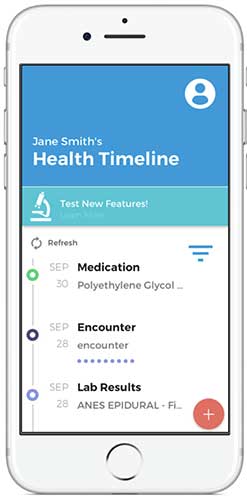
Hugo app
Patients in the YCCI studies can use the Hugo app to aggregate their data from many types of EHRs. This puts patients in control of their data, allowing them to easily review their medical history, become partners in clinical research, and engage with researchers by responding to simple surveys via secure transmissions.
“We are just now scratching the surface of what will be possible with Hugo and this kind of patient empowerment. By enabling people to be active partners in research, we are accelerating progress towards a new generation of breakthroughs and a 21st century learning health system.”
— Allen L. Hsiao, MD, Chief Medical Information Officer, Yale School of Medicine & Yale New Haven Health
7.2 Use apps to support patient engagement
It’s no secret that mobile phones are everywhere these days, since 95% of Americans now own a cellphone of some kind — and 77% own a smartphone.117 The options for health apps are numerous, ranging from activity trackers to medication reminders and chronic condition self-management tools.
However, we still have a lot to learn about which “prescribable” apps are most effective.118 As more health professionals try out these new tools, the amount of information about the best ways to develop and use apps for patient engagement is sure to grow.
Evaluate and pilot test apps before recommending them
If you’re thinking of recommending an app for patient engagement — whether related to general wellness or for managing a specific health challenge — it’s important to do your homework. The following steps will help you evaluate whether an app is user friendly and appropriate for your patients.119
- Review the literature: Search the scientific literature for app reviews and clinical trials
- Search app clearinghouses: Websites that review apps can help you identify pros and cons of specific apps
- Search app stores: Be sure to use specific key words, including terms related to the health condition or target behavior
- Read user ratings and reviews: Look for positive comments about how the app works, how easy it is to use, and how effective it is
- Read the privacy notice: Make sure that the app will protect your patients' health information by checking out the app's privacy notice
- Ask your professional and patient networks: Use social media to find out what apps people like or are interested in
- Pilot test the app: Try it out yourself — or enlist a helper — to assess the app’s functionality, accuracy, and usability
- Get patient input: Once your patients have tried the app, don’t just talk about their health data — ask them how they like the app, too
There’s a lot to consider when researching and pilot testing an app! Of course, ease of use is key — but quality and safety are also essential.
- Usability is the “effectiveness, efficiency, and satisfaction with which specific users can achieve a specific set of tasks in a particular environment.”
- Some factors that affect the quality and safety of a health app depend on the type of information or health condition the app addresses. Developing a Framework for Evaluating the Patient Engagement, Quality, and Safety of Mobile Health Applications lists some of the factors to consider.


Disclaimer: “From the field" examples are provided for informational purposes to illustrate a range of real-world implementation approaches. References to specific organizations, products, services, or technologies do not constitute or imply endorsement, recommendation, or preference by the U.S. Department of Health and Human Services or the U.S. Government. Inclusion of an example should not be interpreted as indicating that the approach is appropriate for all settings or circumstances.
Chapter 7 Recap
Improve clinical decision-making by leveraging technologies to:
- Use APIs to help patients access their data and take an active role in their health
- Use apps to support patient engagement
Content last updated on: May 31, 2019
Chapter 8
Improve appointments with health IT
In this chapter
Learn how to:
- Engage patients with their notes during visits
- Keep visits patient-centered while using EHRs
- Set up for live video appointments
A good relationship between patients and their health care team is a key part of successful care — and it’s influenced by many factors. As health IT continues to evolve, new opportunities and evidence are emerging about how EHRs and other health IT can strengthen patient-clinician interactions.
8.1 Build trust with patients through visit notes
There are many benefits to allowing patients to access visit notes through their patient portal. One benefit is a better, more trusting relationship between patients and clinicians. Sharing notes has been shown to improve the patient-doctor relationship, especially for patients of color, patients with poorer self-reported health, and patients with less education.120
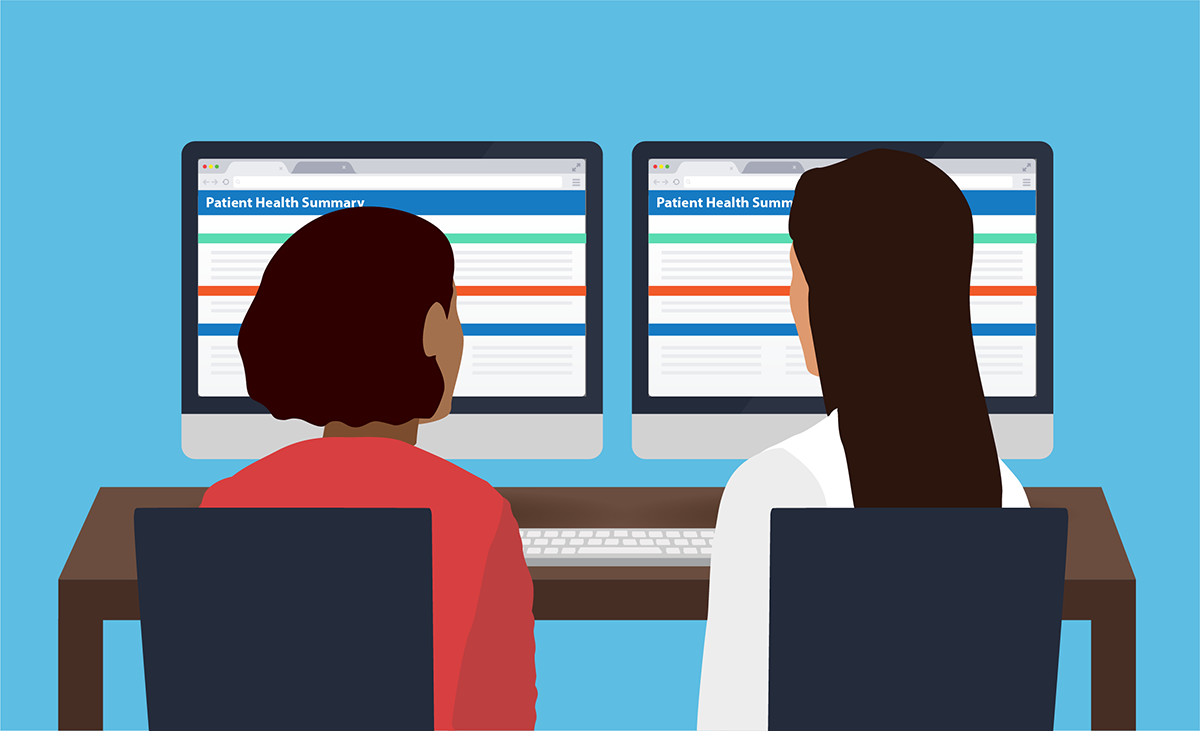
An innovative way to engage patients with their EHR is to have a dual-screen setup where the patient can see what the clinician is typing during the appointment. A preliminary study found 100% patient satisfaction with this approach.121
Another option — especially for patients who may have barriers to accessing their portal from home — is to print notes out for them at the office.
8.2 Balance technology with interpersonal communication
As we’ve established, the potential upside of health IT is huge — that’s what this playbook is all about! But it’s also hard to overstate the value of good, old fashioned eye contact and other nonverbal cues for building trust and rapport with patients during their time in your office.
While evidence shows that EHRs can make patient visits more complicated, there are also opportunities to make visits more patient-centered.122 When you’re seeing patients, be sure to spend a portion of the appointment looking at them instead of your computer as you talk — and tell them what you’re doing as you use their EHR.
You can also take the opportunity to confirm that the information in your patient’s EHR is correct. Asking patients to validate their information with you in the room is another way to foster the patient-clinician relationship.
Listening with Empathy
When clinicians practice empathetic listening, patients report higher levels of satisfaction. Complete this module to learn the 8 steps to listening with empathy. You’ll also learn about tools and resources that can help you and your team master empathetic listening.
8.3 Offer video appointments
With telemedicine, technology lets clinicians provide some types of care to patients remotely.123 Telemedicine — specifically, video appointments — offers several advantages. These include:
- Improved access to care for patients, especially those in rural areas124
- Higher patient satisfaction125
- Lower out-of-pocket costs for patients126
- Improved management of chronic conditions127
If your practice plans to offer telemedicine, learn more about it in the Health IT Playbook.
Take steps to optimize video appointments
For clinicians who provide live video appointments with patients, these basic pieces of set-up and etiquette can make the interaction smoother and more engaging for your patients:128
- Make sure you have good lighting and aren’t lit from behind
- Know how to quickly mute yourself in case there’s background noise
- Be careful doing things like shuffling paper or typing when your microphone is on
- Have a simple background without doors, windows, or other distractions
- Angle the camera so you can make eye contact with your patients
Keep in mind that telemedicine may be a new experience for your patients, and walk them through the process so they know what to expect. For example, if you have to look away to write down notes, say what you’re doing.





Chapter 8 Recap
Use health IT to improve care and engage patients in innovative ways.
- Allow patients to see their notes during appointments
- Make sure technology supports — but doesn’t take over — in-person appointments
- Follow best practices for video appointments
Content last updated on: April 17, 2019
0
0
0
References
Introduction
1Black Book Research (2018, April 20). Hospital Technology is the New Determiner of Patient Satisfaction, 2018 Black Book EHR User Survey Results. PR Newswire. Retrieved from https://www.prnewswire.com/news-releases/hospital-technology-is-the-new-determiner-of-patient-satisfaction-2018-black-book-ehr-user-survey-results-300633556.html
2Patel V & Johnson C. (February 2018). Consumers' use of online medical records and devices for health needs. ONC Data Brief, no.40. Office of the National Coordinator for Health Information Technology: Washington DC. Retrieved from https://healthit.gov/sites/default/files/page/2018-03/HINTS-2017-Consumer-Data-Brief-3.21.18.pdf [PDF - 1.7 MB]
3 EHR Incentives & Certification: Meaningful use definition & objectives. (2015, February 6). Retrieved from https://healthit.gov/providers-professionals/meaningful-use-definition-objectives
4 Emont, S. (2011, May). Measuring the impact of patient portals: what the literature tells us. Retrieved from https://www.chcf.org/wp-content/uploads/2017/12/PDF-MeasuringImpactPatientPortals.pdf [PDF – 610KB]
5 Henry, S. L., Shen, E., Ahuja, A., Gould, M. K., & Kanter, M. H. (2016). The online personal action plan: A tool to transform patient-enabled preventive and chronic care. American Journal of Preventive Medicine, 51(1), 71-77. https://www.ajpmonline.org/article/S0749-3797%2815%2900780-1/abstract
6 Emont, S. (2011, May). Measuring the impact of patient portals: what the literature tells us. Retrieved from https://www.chcf.org/wp-content/uploads/2017/12/PDF-MeasuringImpactPatientPortals.pdf [PDF – 610KB]
Chapter 1
7 World Health Organization. (2024, August 5). Health literacy. Retrieved from: https://www.who.int/news-room/fact-sheets/detail/health-literacy
8 Weiss, B. D. (2007). Health literacy and patient safety: help patients understand: manual for clinicians (2d ed.). Retrieved from: https://med.fsu.edu/sites/default/files/userFiles/file/ahec_health_clinicians_manual.pdf
9 Office of Disease Prevention and Health Promotion, Office of the Assistant Secretary for Health, U.S. Department of Health and Human Services. (2025). Section 1.2: Literacy and health literacy skills. Health literacy online (3rd ed.). Retrieved from: https://odphp.health.gov/healthliteracyonline/barriers-accessing-understanding-and-using-digital-health-information/literacy-and-health-literacy-skills
10 Murray, S. G., Wachter, R. M., & Cucina, R. J. (2020, January 31). Discrimination by artificial intelligence in a commercial electronic health record—a case study. Health Affairs Forefront. Retrieved from: https://www.healthaffairs.org/content/forefront/discrimination-artificial-intelligence-commercial-electronic-health-record-case-study
11 Federal Communications Commission. (2021, January 19). Fourteenth broadband deployment report. Retrieved from: https://docs.fcc.gov/public/attachments/FCC-21-18A1.pdf
12 Office of Disease Prevention and Health Promotion, Office of the Assistant Secretary for Health, U.S. Department of Health and Human Services. (n.d.). Healthy People 2030: Increase the proportion of adults with broadband internet — HC/HIT-05. Retrieved August 28, 2025, from: https://odphp.health.gov/healthypeople/objectives-and-data/browse-objectives/neighborhood-and-built-environment/increase-proportion-adults-broadband-internet-hchit-05
13 Andreadis, K., Buderer, N., & Langford, A. T. (2025). Patients' understanding of health information in online medical records and patient portals: Analysis of the 2022 Health Information National Trends Survey. Journal of Medical Internet Research, 27, e62696. Retrieved from: https://www.jmir.org/2025/1/e62696/PDF
Chapter 2
14 Goel, M.S.; Brown, T.L.; Williams, A.; Cooper, A.J.; Baker, D.W. (2011). Patient-reported barriers to enrolling in a patient portal. Journal of the American Medical Informatics Association, 18(1), i8-i12. doi: 10.1136. Retrieved from https://academic.oup.com/jamia/article/18/Supplement_1/i8/798747?searchresult=1
15 Siddhanti, R. Mana Health. (Personal communication, 2016, February 11).
16 ManaPortal signup process and screenshots: Siddhanti, R. Mana Health. (Personal communication, 2016, February 19).
17 http://www.ncbi.nlm.nih.gov/pmc/articles/PMC3041333/
18 Patel V & Johnson C. (February 2018). Consumers' use of online medical records and devices for health needs. ONC Data Brief, no.40. Office of the National Coordinator for Health Information Technology: Washington DC. Retrieved from https://healthit.gov/sites/default/files/page/2018-03/HINTS-2017-Consumer-Data-Brief-3.21.18.pdf [PDF - 1.7 MB]
19 About Blue Button. Retrieved from https://healthit.gov/patients-families/blue-button/about-blue-button
20 Henry, J.; Barker, W.; Kachay, L. Electronic Capabilities for Patient Engagement among U.S. Non-Federal Acute Care Hospitals: 2013-2017. (No. 45, April 2019). Retrieved from: https://healthit.gov/sites/default/files/page/2019-04/AHApatientengagement.pdf [443 KB]
21 Henry, J.; Pylypchuk, Y.; Patel, V. Electronic Capabilities for Patient Engagement among U.S. Non-Federal Acute Care Hospitals: 2012–2015. (No. 38, September 2016). Retrieved from https://healthit.gov/wp-content/uploads/2017/03/2015_patient_engagement_data_brief.pdf [PDF - 779 KB]
22 Patel, V.; Barker, W.; Siminerio, E. Trends in Consumer Access and Use of Electronic Health Information. (No. 30, October 2015). Retrieved from https://healthit.gov/sites/default/files/briefs/oncdatabrief30_accesstrends_.pdf [PDF - 2.1 MB]
23 Charles, D.; Gabriel, M.; Henry, J. Electronic Capabilities for Patient Engagement among U.S. Non-Federal Acute Care Hospitals: 2012–2014 (No. 29, October 2015). Retrieved from https://healthit.gov/sites/default/files/briefs/oncdatabrief29_patientengagement.pdf [PDF - 1.9 MB]
24 Strategies for improving patient engagement through health IT. Retrieved from https://healthit.gov/sites/default/files/final_vdt_sect_508_tested.pdf [PDF – 2.6MB]
Chapter 3
25 DelVecchio, A. (2014, December 16). Expansion of online appointment scheduling could lead to cost savings. Retrieved from https://healthit.gov/sites/default/files/page/2019-04/AHApatientengagement.pdf.
26 Henry J, Barker W, & Kachay L. (April 2019). Electronic capabilities for patient engagement among U.S. non-federal cute care hospitals: 2013-2017. ONC Data Brief, no.45. Office of the National Coordinator for Health Information Technology: Washington DC. Retrieved from https://healthit.gov/data/data-briefs/electronic-capabilities-patient-engagement-among-us-non-federal-acute-care
27 Patient Engagement: Digital self-scheduling set to explode. Retrieved from https://www.accenture.com/us-en/insight-patient-engagement-digital-self-scheduling-explode
28 Patel V & Johnson C. (February 2018). Consumers' use of online medical records and devices for health needs. ONC Data Brief, no.40. Office of the National Coordinator for Health Information Technology: Washington DC. Retrieved from https://healthit.gov/sites/default/files/page/2018-03/HINTS-2017-Consumer-Data-Brief-3.21.18.pdf [PDF - 1.7 MB]
29 Timely access to scheduled appointments. Journal of the American Medical Informatics Association, 5(1), 104-111. Retrieved from https://healthy.kaiserpermanente.org/health/care/consumer/…/d5/L2dBISEvZ0FBIS9nQSEh/
30 Timely access to scheduled appointments. Journal of the American Medical Informatics Association, 5(1), 104-111. Retrieved from https://healthy.kaiserpermanente.org/health/care/consumer/…/d5/L2dBISEvZ0FBIS9nQSEh/
31 Henry J, Barker W, & Kachay L. (April 2019). Electronic capabilities for patient engagement among U.S. non-federal cute care hospitals: 2013-2017. ONC Data Brief, no.45. Office of the National Coordinator for Health Information Technology: Washington DC. Retrieved from https://healthit.gov/data/data-briefs/electronic-capabilities-patient-engagement-among-us-non-federal-acute-care
32 Fact Sheet: Using Secure Electronic Messaging to Support Patient and Family Engagement. Retrieved from https://healthit.gov/wp-content/uploads/2026/01/nlc-secure-messaging-fact-sheet.pdf
33 Kane, B., Sands, D.Z. (1998, January 1). Guidelines for the clinical use of electronic mail with patients. Retrieved from http://jamia.oxfordjournals.org/content/5/1/104
34 Kane, B., Sands, D.Z. (1998, January 1). Guidelines for the clinical use of electronic mail with patients. Retrieved from http://jamia.oxfordjournals.org/content/5/1/104
35 Fact Sheet: Using Secure Electronic Messaging to Support Patient and Family Engagement. Retrieved from https://healthit.gov/wp-content/uploads/2026/01/nlc-secure-messaging-fact-sheet.pdf [PDF — 198 KB]
36 Meaningful Use Case Studies: Patient portal increases communication between patients and providers. (2011, Spring). Retrieved from https://healthit.gov/providers-professionals/blackstone-valley-community-health-care-case-study
37 Kane, B., Sands, D.Z. (1998, January 1). Guidelines for the clinical use of electronic mail with patients. Retrieved from http://jamia.oxfordjournals.org/content/5/1/104
38 Kane, B., Sands, D.Z. (1998, January 1). Guidelines for the clinical use of electronic mail with patients. Retrieved from http://jamia.oxfordjournals.org/content/5/1/104
39 Fact Sheet: Using Secure Electronic Messaging to Support Patient and Family Engagement. Retrieved from https://healthit.gov/wp-content/uploads/2026/01/nlc-secure-messaging-fact-sheet.pdf [PDF — 198 KB]
40 Silvestre, A.-L.; Sue, V.M.; Allen, J.Y. (2009, March/April). If you build it, will they come? The Kaiser Permanente model of online health care. Health Affairs, 28(2), 334-344. doi 10.1377/hithaff.28.2.334. Retrieved from http://content.healthaffairs.org/content/28/2/334.full
41 Emont, S. (2011, May). Measuring the impact of patient portals: what the literature tells us. Retrieved from https://www.chcf.org/wp-content/uploads/2017/12/PDF-MeasuringImpactPatientPortals.pdf [PDF – 610KB]
42 Meaningful Use Case Studies: Patient portal benefits patient care and provider workflow. (2011, Winter). Retrieved from https://healthit.gov/case-study/patient-portal-benefits-patient-care-and-provider-workflow
43 Kessels, R.P.C. (2003, May). Patients’ memory for medical information. Journal of the Royal Society of Medicine, 96(5), 219-222. Retrieved from http://www.ncbi.nlm.nih.gov/pmc/articles/PMC539473/
44 OpenNotes: Inviting patients to read their doctors’ visit notes. Retrieved from https://www.opennotes.org/research/inviting-patients-to-read-their-doctors-notes-patients-and-doctors-look-ahead-patient-and-physician-surveys/
45 OpenNotes: Inviting patients to read their doctors’ visit notes. Retrieved from https://www.opennotes.org/research/inviting-patients-to-read-their-doctors-notes-patients-and-doctors-look-ahead-patient-and-physician-surveys/
46 Siminerio, E.; Daniel, J.G. (2014, June 24). Patients play a vital role in improving the quality of information in their medical records. Retrieved from https://healthit.gov/buzz-blog/consumer/blue-button-helps-patients-improve-care-quality/
47 Delbanco, T.; Walker, J.; Bell, S.K.; Darer, J.D.; Elmore, J.G.; Farag, N.; Feldman, H.J.; Mejilla, R.; Ngo, L.; Ralston, J.D.; Ross, S.E.; Trivedi, N.; Vodicka, E.; Leveille, S.G. (2012, October 2). Annals of Internal Medicine, 157(7), 461-470. Retrieved from http://annals.org/article.aspx?articleid=1363511
48 What is OpenNotes? Retrieved from http://www.opennotes.org/about-opennotes/
49 Unitan, R. and Seidel, M. Sharing Visit Notes Online: Kaiser Permanente Northwest’s Big Bang Implementation of OpenNotes. (PowerPoint presentation, 2015, September 2). Retrieved from Kaiser Permanente Northwest.
50 Unitan, R. and Seidel, M. Sharing Visit Notes Online: Kaiser Permanente Northwest’s Big Bang Implementation of OpenNotes. (PowerPoint presentation, 2015, September 2). Retrieved from Kaiser Permanente Northwest.
51 Alpert J.M., Krist A.H., Aycock R.A., Kreps G.L. (2016, May 17). Applying Multiple Methods to Comprehensively Evaluate a Patient Portal’s Effectiveness to Convey Information to Patients. Retrieved from http://www.jmir.org
Chapter 4
52 Patel, V,. & Johnson C. (February 2018). Consumers' use of online medical records and devices for health needs. ONC Data Brief, no. 40. Office of the National Coordinator for Health Information Technology: Washington DC. Retrieved from https://healthit.gov/sites/default/files/page/2018-03/HINTS-2017-Consumer-Data-Brief-3.21.18.pdf [PDF - 1.7 MB]
53 Richwine, C. (July 2025). Individuals’ access and use of patient portals and smartphone health apps, 2024. ASTP Data Brief, no. 77. Assistant Secretary for Technology Policy: Washington, DC. Retrieved from https://healthit.gov/sites/default/files/2025-06/2024-HINTS-Patient-Access-DB77_508.pdf [PDF - 335 KB]
54 Richwine, C. (July 2025). Individuals’ access and use of patient portals and smartphone health apps, 2024. ASTP Data Brief, no. 77. Assistant Secretary for Technology Policy: Washington, DC. Retrieved from https://healthit.gov/sites/default/files/2025-06/2024-HINTS-Patient-Access-DB77_508.pdf [PDF - 335 KB]
55 Richwine, C. (July 2025). Individuals’ access and use of patient portals and smartphone health apps, 2024. ASTP Data Brief, no. 77. Assistant Secretary for Technology Policy: Washington, DC. Retrieved from https://healthit.gov/sites/default/files/2025-06/2024-HINTS-Patient-Access-DB77_508.pdf [PDF - 335 KB]
56 National Cancer Institute. (2024). Health Information National Trends Survey (HINTS) [Data set]. Retrieved from https://hints.cancer.gov/
57 Wolff, J. L., Darer, J. D., & Larsen, K. L. (2016). Family caregivers and consumer health information technology. Journal of General Internal Medicine, 31(1), 117-121. doi: 10.1007/s11606-015-3494-0
58 Richwine, C. (July 2025). Individuals’ access and use of patient portals and smartphone health apps, 2024. ASTP Data Brief, no. 77. Assistant Secretary for Technology Policy: Washington, DC. Retrieved from https://healthit.gov/sites/default/files/2025-06/2024-HINTS-Patient-Access-DB77_508.pdf [PDF - 335 KB]
59 Bourgeois, F. C., Taylor, P. L., Emans, J., Nigrin, D. J., & Mandl, K. D. (2008, December). Whose personal control? Creating private, personally controlled health records for pediatric and adolescent patients. Journal of the American Medical Informatics Association, 15(6), 737–743. doi: 10:1197/jamia.M2865. Retrieved from http://www.hl7.org/documentcenter/public_temp_7CA39230-1C23-BA17-0CBCDEB8D0B8876C/wg/pedsdata/Fabienne%20JAMIA%20paper%20(2).pdf [PDF – 78KB]
60 Sharko, M., Jameson, R., Ancker, J. S., Krams, L., Webber, E. C., & Rosenbloom, S. T. (2022). State-by-state variability in adolescent privacy laws. Pediatrics, 149(6), e2021053458. https://doi.org/10.1542/peds.2021-053458
61 UCSF Health. (2023, November 14). MyChart terms and conditions. Retrieved from https://ucsfmychart.ucsfmedicalcenter.org/UCSFMyChart/Authentication/Login?mode=stdfile&option=termsandconditions
62 U.S. Census Bureau. (2023). American Community Survey 5-year estimates data profiles [Data set]. Retrieved from https://data.census.gov/table/ACSDP5Y2023.DP02
63 The Colorado Health Foundation. (n.d.). Portal support for non-English-speaking patients. Retrieved from https://coloradohealth.org/portal-support-non-english-speaking-patients
Chapter 5
64 AARP & National Alliance for Caregiving, Caregiving in the US: Research Report (July 2025), available at https://www.aarp.org/content/dam/aarp/ppi/topics/ltss/family-caregiving/caregiving-in-us-2025.doi.10.26419-2fppi.00373.001.pdf
65 Christian Johnson & Wesley Barker, Hospital Capabilities to Enable Patient Electronic Access to Health Information, 2019 (ONC Data Brief No. 55) (Aug. 2021), available at https://healthit.gov/data/data-briefs/hospital-capabilities-enable-patient-electronic-access-health-information-2019/
66 Chelsea Richwine, Individuals’ Access and Use of Patient Portals and Smartphone Health Apps, 2024 (ONC Data Brief No. 77) (July 2025), available at https://healthit.gov/data/data-briefs/individuals-access-and-use-patient-portals-and-smartphone-health-apps-2024/
67 45 C.F.R. §§ 164.502(g), 165.510(b). See generally U.S. Health & Human Services, Personal Representatives (rev. Jan. 5, 2024), available at https://www.hhs.gov/hipaa/for-professionals/privacy/guidance/personal-representatives/index.html
68 45 C.F.R. § 170.315(e) (certification criterion to enable patients and their authorized representatives to view, download, and transmit patient health information to a third party)
69 AARP & National Alliance for Caregiving, Caregiving in the US: Research Report (July 2025), available at https://www.aarp.org/content/dam/aarp/ppi/topics/ltss/family-caregiving/caregiving-in-us-2025.doi.10.26419-2fppi.00373.001.pdf
70 45 Code of Federal Regulations 164.502(g). Cornell University Legal Information Institute. Uses and disclosures of protected health information: general rules. Retrieved from https://www.law.cornell.edu/cfr/text/45/164.502
71 HIM Body of Knowledge™. Retrieved from http://bok.ahima.org/
72 Wolff J.L., Darer J.D., Larsen K.L. Family Caregivers and Consumer Health Information Technology. J Gen Intern Med. 2016 Jan;31(1):117-21. doi: 10.1007/s11606-015-3494-0
73 45 Code of Federal Regulations 164.510(b). Cornell University Legal Information Institute. Uses and disclosures requiring an opportunity for the individual to agree or to object. Retrieved from https://www.law.cornell.edu/cfr/text/45/164.510
74 45 Code of Federal Regulations 164.510(b). Cornell University Legal Information Institute. Uses and disclosures requiring an opportunity for the individual to agree or to object. Retrieved from https://www.law.cornell.edu/cfr/text/45/164.510
75 Wolff J.L., Kim V.S., Mintz S., Stametz R., Griffin J.M. An environmental scan of shared access to patient portals. J Am Med Inform Assoc. 2017 Aug 25. doi: 10.1093/jamia/ocx088
76 Wolff J.L., Darer J.D., Larsen K.L. Family Caregivers and Consumer Health Information Technology. J Gen Intern Med. 2016 Jan;31(1):117-21. doi: 10.1007/s11606-015-3494-0
77 Wolff J.L., Kim V.S., Mintz S., Stametz R., Griffin J.M. An environmental scan of shared access to patient portals. J Am Med Inform Assoc. 2017 Aug 25. doi: 10.1093/jamia/ocx088
78 Retrieved from http://www.ajmc.com/journals/issue/2016/2016-vol22-n6/development-of-a-tethered-personal-health-record-framework-for-early-end-of-life-discussions
79 Retrieved from https://www.techtarget.com/patientengagement/feature/How-Patient-Portals-Improve-Patient-Engagement
Chapter 6
80 National Partnership for Women & Families, Engaging Patients and Families: How Consumers Value and Use Health IT, pp. 33-35 (2014), available at https://nationalpartnership.org/wp-content/uploads/2023/02/engaging-patients-and-families.pdf [PDF - 1.7 MB]
81 U.S. Core Data for Interoperability, version 6 (July 2025), available at https://isp.healthit.gov/united-states-core-data-interoperability-uscdi#uscdi-v6.
82 Executive Office of the President, Office of Management and Budget, Revisions to OMB’s Statistical Policy Directive No. 15: Standards for Maintaining, Collecting, and Presenting Federal Data on Race and Ethnicity, 89 Federal Register 22,182, 22,195 (Mar. 29, 2024), available at https://www.govinfo.gov/content/pkg/FR-2024-03-29/pdf/2024-06469.pdf. [PDF - 1.7 MB]
83 Patel V & Johnson C. (April 2018). Individuals’ use of online medical records and technology for health needs. ONC Data Brief, no. 40. Office of the National Coordinator for Health Information Technology: Washington DC. Retrieved from https://healthit.gov/wp-content/uploads/2025/07/HINTS-2017-Consumer-Data-Brief-3.21.18.pdf [PDF - 1.6 MB]
84 Johnson C, Richwine C, & Patel V. (September 2021). Individuals’ Access and Use of Patient Portals and Smartphone Health Apps, 2020. ONC Data Brief, no. 57. Office of the National Coordinator for Health Information Technology: Washington DC. Retrieved from https://healthit.gov/data/data-briefs/individuals-access-and-use-patient-portals-and-smartphone-health-apps-2020/
85 Patient-Generated Health Data. (2015, September 30). Retrieved from https://healthit.gov/topic/scientific-initiatives/pcor/patient-generated-health-data-pghd
86 National Learning Consortium. (2014, March). Patient-Generated Health Data Fact Sheet. Retrieved from https://healthit.gov/sites/default/files/patient_generated_data_factsheet.pdf [PDF - 1.6 MB]
87 Centers for Medicare & Medicaid Services. (2016, April). Readmissions Reduction Program. Retrieved from https://www.cms.gov/medicare/medicare-fee-for-service-payment/acuteinpatientpps/readmissions-reduction-program.html
88 The Digital Consumer: How Patient Generated Health Data and Health IT Can Help Improve Care. Retrieved from https://healthit.gov/buzz-blog/consumer/digital-consumer-patient-generated-health-data-improve-care/
89 Ryan J. Shaw, Mina Boazak, Victoria Tiase, Gloria Porter, Jedrek Wosik, Sarah Bumatay, LeAnn Michaels, Julie Stone, Deborah Cohen & Rowena Dolor, Integrating Patient-generated Digital Health Data into Electronic Health Records (EHRs) in Ambulatory Care Settings: EHR Vendor Survey and Interviews, 2022 AMIA Joint Summits on Translational Science Proceedings 439 (May 23, 2022), available at https://pmc.ncbi.nlm.nih.gov/articles/PMC9285170/
90 Agency for Healthcare Research & Quality, Integrating Patient-Generated Health Data into Electronic Health Records in Ambulatory Care Settings: A Practical Guide (Dec. 2021), available at https://digital.ahrq.gov/sites/default/files/docs/citation/pghd-practical-guide.pdf [PDF - 1.7 MB]
91 Office of the National Coordinator for Health Information Technology, Conceptualizing a Data Infrastructure for the Capture, Use, and Sharing of Patient-Generated Health Data in Care Delivery and Research through 2024: A Practical Guide (Jan. 2018), available at https://healthit.gov/wp-content/uploads/2026/01/onc_pghd_practical_guide.pdf [PDF - 611 KB]
92 Multi-federal agency actions to integrate patient-reported outcomes into cancer research and care,” Journal of the National Cancer Institute (2025, October 13), available at https://academic.oup.com/jnci/article-abstract/118/6/959/8285006
93 45 C.F.R. §§ 164.526
94 National Learning Consortium. (2014, March). Patient-Generated Health Data Fact Sheet. Retrieved from https://healthit.gov/sites/default/files/patient_generated_data_factsheet.pdf [PDF - 1.6 MB]
95 Lavallee, D.; Chenok, K.; Love, R.; Petersen, C.; Holve, E.; Segal, C.; and Franklin, P. (2016). Incorporating Patient-Reported Outcomes Into Health Care to Engage Patients and Enhance Care. Health Affairs, 35(4), doi: 10.1377/hlthaff.2015.1362. Retrieved from http://content.healthaffairs.org/content/35/4/575.full?ijkey=6C1y7.jaIT7qU&keytype=ref&siteid=healthaff#aff-1
96 National Learning Consortium. (2014, March). Patient-Generated Health Data Fact Sheet. Retrieved from https://healthit.gov/sites/default/files/patient_generated_data_factsheet.pdf [PDF - 1.6 MB]
97 McCann, E. (2014, October 9). Ochsner first to link Epic to Apple’s HealthKit. Healthcare IT News. Retrieved from https://www.healthcareitnews.com/news/ochsner-first-link-epic-apples-healthkit
98 Develop health and fitness apps that work together. Retrieved from https://developer.apple.com/healthkit/
99 McCann, E. (2014, October 9). Ochsner first to link Epic to Apple’s HealthKit. Healthcare IT News. Retrieved from https://www.healthcareitnews.com/news/ochsner-first-link-epic-apples-healthkit
100 Pennic, F. (2015, April 27). Oschner Health pilots Apple Watch to manage chronic diseases. HIT Consultant. Retrieved from https://hitconsultant.net/2015/04/27/oscher-health-pilots-apple-watch-to-manage-chronic-diseases/
101 Broderick, A. (2013, January). Case Studies in Telehealth Adoption. Partners HealthCare: connecting heart failure patients to providers through remote monitoring. Commonwealth Fund Publication 1656, 3. Retrieved from http://www.commonwealthfund.org/~/media/files/publications/case-study/2013/jan/1656_broderick_telehealth_adoption_partners_case_study.pdf [PDF - 610 KB]
102 Partners HealthCare. (2015, May 13). Partners connected health remote monitoring program for heart failure patients significantly lowers hospital admissions and mortality rates; less intensive remote monitoring follow-up may improve long-term outcomes. Health IT Outcomes. Retrieved from https://www.healthitoutcomes.com/doc/partners-health-heart-failure-patients-significantly-mortality-rates-improve-long-0001
103 Agboola, S.; Jethwani, K.; Khateeb, K.; Moore, S.; Kvedar, J. (2015). Heart failure remote monitoring: Evidence from the retrospective evaluation of a real-world remote monitoring program. Journal of Medical Internet Research, 17(4), e101. doi:10.2196/jmir.4417. Retrieved from http://www.jmir.org/2015/4/e101
104 Broderick, A. (2013, January). Case Studies in Telehealth Adoption. Partners HealthCare: connecting heart failure patients to providers through remote monitoring. Commonwealth Fund Publication 1656, 3. Retrieved from http://www.commonwealthfund.org/~/media/files/publications/case-study/2013/jan/1656_broderick_telehealth_adoption_partners_case_study.pdf [PDF - 610 KB]
105 Agboola, S.; Jethwani, K.; Khateeb, K.; Moore, S.; Kvedar, J. (2015). Heart failure remote monitoring: Evidence from the retrospective evaluation of a real-world remote monitoring program. Journal of Medical Internet Research, 17(4), e101. doi:10.2196/jmir.4417. Retrieved from http://www.jmir.org/2015/4/e101
106 Partners HealthCare. (2015, May 13). Partners connected health remote monitoring program for heart failure patients significantly lowers hospital admissions and mortality rates; less intensive remote monitoring follow-up may improve long-term outcomes. Health IT Outcomes. Retrieved from https://www.healthitoutcomes.com/doc/partners-health-heart-failure-patients-significantly-mortality-rates-improve-long-0001
107 Broderick, A. (2013, January). Case Studies in Telehealth Adoption. Partners HealthCare: connecting heart failure patients to providers through remote monitoring. Commonwealth Fund Publication 1656, 3. Retrieved from http://www.commonwealthfund.org/~/media/files/publications/case-study/2013/jan/1656_broderick_telehealth_adoption_partners_case_study.pdf [PDF - 610 KB]
108 Broderick, A. (2013, January). Case Studies in Telehealth Adoption. Partners HealthCare: connecting heart failure patients to providers through remote monitoring. Commonwealth Fund Publication 1656, 3. Retrieved from hhttp://www.commonwealthfund.org/~/media/files/publications/case-study/2013/jan/1656_broderick_telehealth_adoption_partners_case_study.pdf [PDF - 610 KB]
109 Broderick, A. (2013, January). Case Studies in Telehealth Adoption. Partners HealthCare: connecting heart failure patients to providers through remote monitoring. Commonwealth Fund Publication 1656, 3. Retrieved from hhttp://www.commonwealthfund.org/~/media/files/publications/case-study/2013/jan/1656_broderick_telehealth_adoption_partners_case_study.pdf [PDF - 610 KB]
110 Orlando, L.A.; Hauser, E.R.; Christianson, C.; Powell, K.P.; Buchanan, A.H.; Chesnut, B.; Agbaje, A.B.; Henrich, V.C.; Ginsburg, G. (2011, October 11). Protocol for implementation of family health history collection and decision support into primary care using a computerized family health history system. BMC Health Services Research 11, 264. doi: 10.1186/1472-6963-11-264. Retrieved from http://bmchealthservres.biomedcentral.com/articles/10.1186/1472-6963-11-264
111 Orlando, L.A.; Hauser, E.R.; Christianson, C.; Powell, K.P.; Buchanan, A.H.; Chesnut, B.; Agbaje, A.B.; Henrich, V.C.; Ginsburg, G. (2011, October 11). Protocol for implementation of family health history collection and decision support into primary care using a computerized family health history system. BMC Health Services Research 11, 264. doi: 10.1186/1472-6963-11-264. Retrieved from http://bmchealthservres.biomedcentral.com/articles/10.1186/1472-6963-11-264
112 Orlando, L.A.; Hauser, E.R.; Christianson, C.; Powell, K.P.; Buchanan, A.H.; Chesnut, B.; Agbaje, A.B.; Henrich, V.C.; Ginsburg, G. (2011, October 11). Protocol for implementation of family health history collection and decision support into primary care using a computerized family health history system. BMC Health Services Research 11, 264. doi: 10.1186/1472-6963-11-264. Retrieved from http://bmchealthservres.biomedcentral.com/articles/10.1186/1472-6963-11-264
113 Wu, R.R.; Himmel, T.L.; Buchanan, A.H.; Powell, K.P.; Hauser, E.R.; Ginsburg, G.S.; Henrich, V.C.; Orlando, L.A. (2014, February 13). Quality of family history collection with use of a patient facing family history assessment tool. doi: 10.1186/1471-2296-15-31. Retrieved from https://bmcfampract.biomedcentral.com/articles/10.1186/1471-2296-15-31
114 Orlando, L.A.; Hauser, E.R.; Christianson, C.; Powell, K.P.; Buchanan, A.H.; Chesnut, B.; Agbaje, A.B.; Henrich, V.C.; Ginsburg, G. (2011, October 11). Protocol for implementation of family health history collection and decision support into primary care using a computerized family health history system. BMC Health Services Research 11, 264. doi: 10.1186/1472-6963-11-264. Retrieved from http://bmchealthservres.biomedcentral.com/articles/10.1186/1472-6963-11-264
115 Fast Healthcare Interoperability Resources overview. Retrieved from https://www.hl7.org/fhir/overview.html
116 Time to focus on your family tree. (2015, December 15). Call-out box: Retrieved from https://today.duke.edu/2015/12/metree
Chapter 7
117 Pew Research Center (February 2018). Mobile Fact Sheet. Retrieved from http://www.pewinternet.org/fact-sheet/mobile/
118 Comstock, Jonah (2013, October 24). Digitas Health: Patients whose doctors use apps use more apps themselves. MobiHealthNews. Retrieved from https://www.mobihealthnews.com/news/digitas-health-patients-whose-doctors-use-apps-use-more-apps-themselves
119 Byambasuren, O., Sanders, S., Beller, E., & Glasziou, P., (2018, May 9). Prescribable mHealth apps identified from an overview of systematic reviews. npj Digital Medicine. Retrieved from https://www.nature.com/articles/s41746-018-0021-9
120 Boudreaux, E. D., Waring, M. E., Hayes, R. B., Sadasivan, R. S., Mullen, S., & Pagoto, S. (2014, September 24). Evaluating and selecting mobile health apps: strategies for healthcare providers and healthcare organizations. Translational Behavioral Medicine. Retrieved from https://www.ncbi.nlm.nih.gov/pmc/articles/PMC4286553/
Chapter 8
121 Bell, S.K., Mejilla, R., Anselmo, M., et al. When doctors share visit notes with patients: a study of patient and doctor perceptions of documentation errors, safety opportunities and the patient–doctor relationship. BMJ Qual Saf 2017;26:262-270. Retrieved from: https://qualitysafety.bmj.com/content/26/4/262.abstract
122 Asan, O., Tyszka, J., Crotty, B. (2018, 1 July). The electronic health record as a patient engagement tool: mirroring clinicians’ screen to create a shared mental model. JAMIA Open, Volume 1, Issue 1, Pages 42–48. Retrieved from: https://doi.org/10.1093/jamiaopen/ooy006
123 Asan, O., Tyszka, J., Crotty, B. (2018, 1 July). The electronic health record as a patient engagement tool: mirroring clinicians’ screen to create a shared mental model. JAMIA Open, Volume 1, Issue 1, Pages 42–48. Retrieved from: https://doi.org/10.1093/jamiaopen/ooy006
124 The Office of the National Coordinator for Health Information Technology. (2017, September 28). Telemedicine and telehealth. Retrieved from: https://healthit.gov/topic/health-it-initiatives/telemedicine-and-telehealth
125 Abrams, K., Burrill, S., & Elsner, N. (2018, July 18). What can health systems do to encourage physicans to embrace virtual care? Deloitte Insights. Retrieved from: https://www2.deloitte.com/insights/us/en/industry/health-care/virtual-health-care-health-consumer-and-physician-surveys.html
126 Abrams, K., Burrill, S., & Elsner, N. (2018, July 18). What can health systems do to encourage physicans to embrace virtual care? Deloitte Insights. Retrieved from: https://www2.deloitte.com/insights/us/en/industry/health-care/virtual-health-care-health-consumer-and-physician-surveys.html
127 Findlay, S. (2018, May 6). Virtual doctor visits are getting more popular, but questions remain about who pays. Washington Post. Retrieved from: https://www.washingtonpost.com/national/health-science/virtual-doctor-visits-are-getting-more-popular-but-questions-remain-about-who-pays/2018/05/04/cbe262f6-4c85-11e8-b725-92c89fe3ca4c_story.html?utm_term=.77c7cee0782b
128 Findlay, S. (2018, May 6). Virtual doctor visits are getting more popular, but questions remain about who pays. Washington Post. Retrieved from: https://www.washingtonpost.com/national/health-science/virtual-doctor-visits-are-getting-more-popular-but-questions-remain-about-who-pays/2018/05/04/cbe262f6-4c85-11e8-b725-92c89fe3ca4c_story.html?utm_term=.77c7cee0782b
129 Major, J. (2016, November 17). Using Telemediquette to Make Your Telemedicine Encounters Effective. The Arizona Telemedicine Program Blog. Retrieved from: https://telemedicine.arizona.edu/blog/using-telemediquette-make-your-telemedicine-encounters-effective
{% include sharing-buttons.html %}
Glossary
ONC adapted this glossary from several sources, including the Association of Health Care Journal Health IT Glossary and the National Health Council’s Glossary of Patient Engagement. Sources for each definition are linked below. Use it throughout your health IT journey to create a foundation for promoting and leveraging patient engagement.
A
Advance Care Directive. An advance care directive is a legal document that tells providers and caregivers what care you agree to or decline in advance of situations where someone is unable to make health care choices for themselves, such as serious illness or injury. (Source)
Application Programming Interface (API). An API is a set of rules that lets software applications communicate with each other. They act as bridge between applications and are an important part of increasing interoperability. (Source)
Artificial Intelligence (AI). AI enables computer systems to perform tasks normally requiring human intelligence — for example, recognizing patterns, learning from experience, drawing conclusions, and making predictions. (Source)
C
Care Planning. Care planning involves creating a summary of a person’s health conditions, care needs, treatments, and health care provider contact information. Care planning not only helps caregivers, but all persons involved in patient care. (Source)
Cloud Platform. A cloud platform is a computer system environment for software applications and files that is hosted offsite. In health care, cloud platforms can host health software and electronic health records. (Source)
E
Electronic Health Record (EHR). An EHR is an electronic record of a patient’s health information that conforms to nationally recognized interoperability standards and that can be created, managed, and consulted by authorized clinicians and staff across more than one healthcare organization. (Source)
F
Family Caregiver. A family caregiver is someone caring for those with a medical condition(s). Their care recipients are dependent on the health care system after the diagnosis of a medical condition or disability. A caregiver’s views on health issues, such as the benefit and risk of new treatments, will vary depending on the severity of the condition and personal circumstances of those they care for. (Source)
H
Health Disparities. Health disparities are measurable differences in health that exists between specific population groups. (Source and Source)
Health IT Literacy. Health IT literacy means being able to seek, find, understand, and evaluate health information from electronic sources but also being able to use health technology, like patient portals to address or solve a health problem. (Source)
Health Literacy. Health literacy means being able to access, understand, evaluate, and use information and services that promote and maintain good health and well-being. Health literacy involves thinking critically and making informed decisions about health. (Source)
M
Mobile Health (mHealth). mHealth is the use of mobile phones, tablets, wearables, and other mobile devices to collect and track health data or provide care. mHealth can include fitness apps, mobile patient portals, remote patient monitoring, video services, and text messaging. (Source)
O
OpenNotes. OpenNotes is an initiative that is studying, spreading, and teaching transparent communication among patients, care partners, and clinicians. The goal is to make open, transparent communication the standard of practice throughout all healthcare settings. (Source)
P
Patient. A patient is an individual who receives health care services — whether preventive, diagnostic, therapeutic, or supportive — regardless of payment source, setting, or reimbursement. (Source)
Patient Engagement. Patient engagement is the active, meaningful, authentic, and collaborative interaction between patients and members across the health ecosystem, where decision-making is guided by the patient, their unique experience, values, and expertise. (Source)
Patient-Generated Health Data. Patient-generated health data is health-related data created, recorded, or gathered by or from patients (or family members or other caregivers) to help address a health concern. (Source)
Patient Portal. The patient portal is an access point to a secure online system where patients can access their information, message their physician, check lab results, manage prescriptions, and make appointments. (Source)
Privacy & Security. The Health Insurance Portability and Accountability Act (HIPAA) is the main federal law that protects health information. Under HIPAA, privacy refers to protecting any health information that can identify a specific person, and security refers to protecting electronic versions of this identifiable health information. (Source)
Proxy Access. Proxy access is a permission that lets a caregiver or family member use their own credentials to view or act within a person’s patient portal. This allows them to view or upload patient health information, communicate with the health care provider, and schedule appointments on behalf of the patient. (Source)
S
Smartphone Health Apps. Smartphone health apps are mobile apps that processes a user’s health data. These apps can support fitness and nutrition tracking, mental health, lifestyle management, and telemedicine. (Source)
T
Telehealth. Telehealth refers to the use of telecommunications technology and electronic information to provide remote health-related services. This can include clinical medical care, health education for patients or providers, health administration and public health. Telehealth uses technology such as the internet, video conferencing, streaming video, imaging and other electronic communications. (Source)
Telemedicine. Although telehealth and telemedicine are often used interchangeably, telemedicine is a narrower term that is limited to remote clinical services, such as diagnosing and monitoring patients. (Source)